Access Control
On the Access Control page, the restriction settings for IP addresses and the domain settings of email addresses are displayed. To change the settings for Access Control, select Edit.
Points for settings
This section explains the settings for IP restriction and some points to note about the settings.
-
For a user other than an administrator to set the restriction on IP addresses, the AccessControl permission is required.
-
For a user other than an administrator to specify email address domains, the ChangeEmailAddress permission is required.
This section explains the screen transitions from the Access Control page and the functions of Access Control.
For the names and functions of basic UI elements and other items of HULFT Square, refer to the following topic:
Access Control
To open this page, select  > ACCESS MANAGEMENT > Access Control in the navigation menu.
You can update the IP restriction registration information.
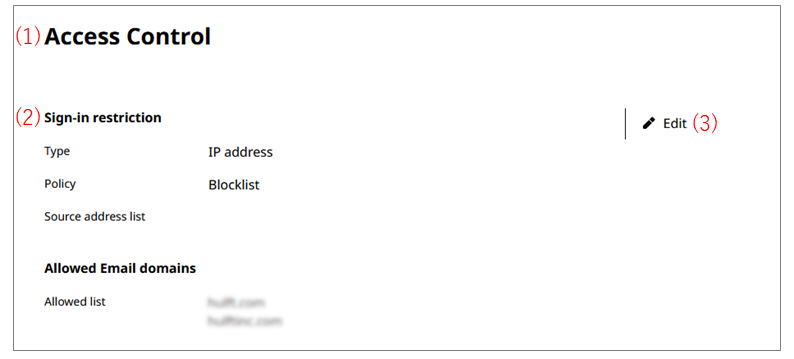
- (1) Sign-in restriction
-
Allow or block connections from specific IP addresses.
Select Policy and specify an IP address range for Source address list.
- (2) Allowed Email domains
-
Specify email address domains of users.
When inviting users or changing email addresses, select a domain that you set here.
For how to change an email address, refer to Users.
NoteIf the wrong domain has been registered, in addition to deleting it from the Allowed list, find the users that use the domain and change their email addresses or delete the users.
- (3) Edit
-
You can edit the settings for Access Control.