Screens That Are Available on Management Screen
HULFT-HUB Manager provides various types of screens on which you can view and modify the System Environment Settings, the version information, the management information, and other information on servers and clients.
The types of screens and display examples are shown below.
| [Note] | The screens that appear slightly vary depending on the host type and the version of the server. |
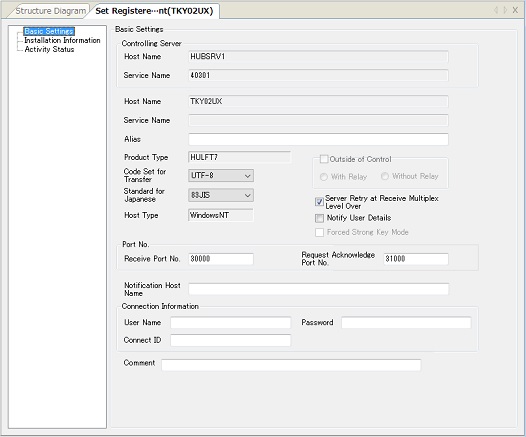
Registered Client Settings
HULFT-HUB Server keeps this information to manage clients.
This information appears when you double-click a client in the Structure List or on the Structure Diagram.
For details, refer to Check and Update of Client Settings.
| Supported Host Types | All host types of HULFT |
| Initial Settings | Initial settings are acquired from the client when you add the client to HULFT-HUB system. |
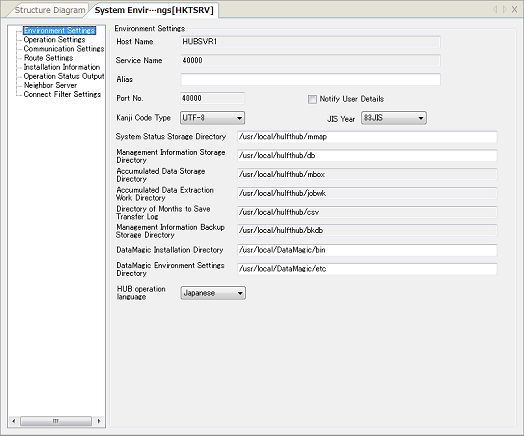
System Environment Settings (Server)
This information is required for operation of HULFT-HUB Server.
This information appears when you double-click a server in the Structure List or on the Structure Diagram.
For details, refer to Configuration Method of Server's System Environment Settings.
| Supported Host Types | HULFT-HUB Server | |
| Initial Settings | Login Server | Initial settings are acquired when you log in to the server from HULFT-HUB Manager. |
| Other than login server | Initial settings are acquired when you add the server on the Management screen. | |
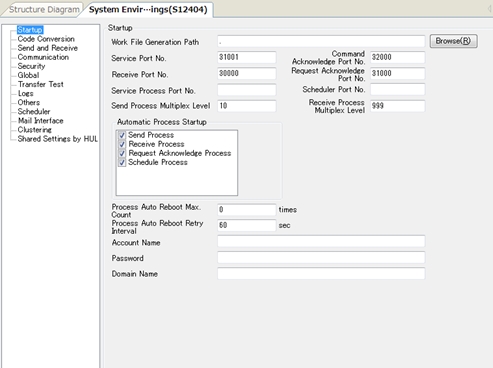
System Environment Settings (Client)
This information is required for operation of each client.
This information appears when you select a client in the Structure List or on the Structure Diagram and click [Client Management]  [System Environment Settings] on the [System Configuration] menu or on the pop-up menu.
For details, refer to Client System Environment Settings.
| Supported Host Types | Each version of HULFT for Linux/AIX (You can view and update the information) |
| Each version of HULFT for Windows (You can view and update the information) | |
| Each version of HULFT for IBMi (You can only view the information) | |
| Initial Settings | Initial settings are acquired when you add the client or when the management information is acquired. |
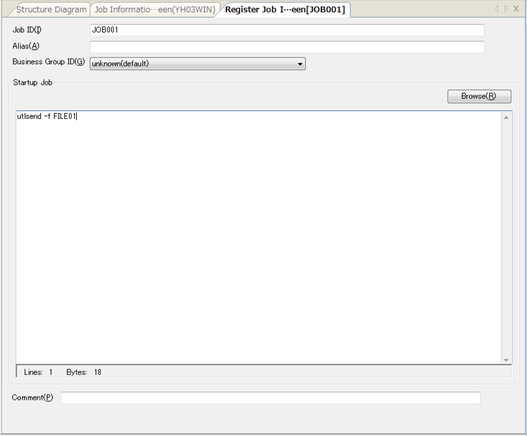
Job Information
You can configure the Job Information for a client.
When you select a client in the Structure List or on the Structure Diagram and click [Client Management] [Job Information] on the [System Configuration] menu or on the pop-up menu, the Job Information Selection screen appears.
For details on the Select Job Information Record screen and the Modify Job Information Record screen, refer to Setting of Job Information.
| Supported Host Types | All host types of HULFT |
| Initial Settings | Initial settings are acquired when you add the client or when the management information is acquired. |
Host Information
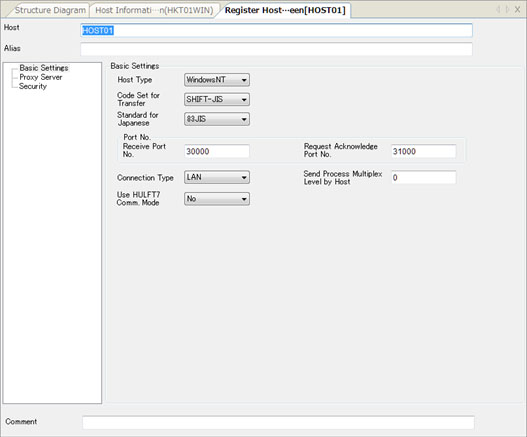
You can configure the Host Information for a client.
When you select a client in the Structure List or on the Structure Diagram and click [Client Management] [Host Information] on the [System Configuration] menu or on the pop-up menu, the Select Host Information Record screen appears.
For details on the Select Host Information Record screen and the Modify Host Information Record screen, refer to Setting of Host Information.
| Supported Host Types | All host types of HULFT |
| Initial Settings | Initial settings are acquired when you add the client or when the management information is acquired. |
Transfer Group Information
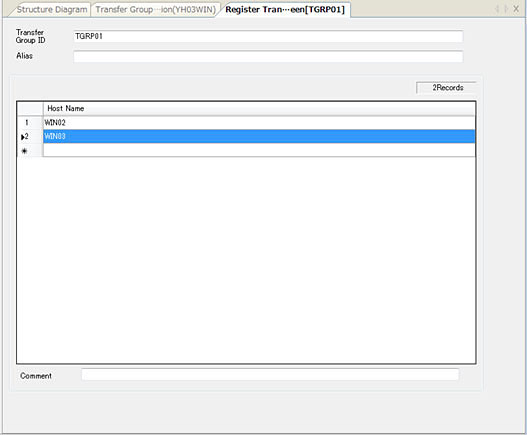
You can configure the Transfer Group Information for a client.
When you select a client in the Structure List or on the Structure Diagram and click [Client Management] [Transfer Group Information] on the [System Configuration] menu or on the pop-up menu, the Select Transfer Group Information Record screen appears.
For details on the Select Transfer Group Information Record screen and the Modify Transfer Group Information Record screen, refer to Setting of Transfer Group Information.
| Supported Host Types | All host types of HULFT |
| Initial Settings | Initial settings are acquired when you add the client or when the management information is acquired. |
Format Information
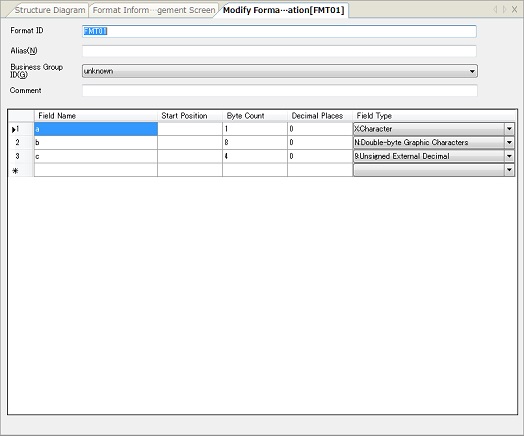
You can configure the Format Information for a client.
When you select a client in the Structure List or on the Structure Diagram and click [Client Management] [Format Information] on the [System Configuration] menu or on the pop-up menu, the Select Format Information Record screen appears.
For details on the Select Format Information Record screen and the Modify Format Information Record screen, refer to Setting of Format Information.
| Supported Host Types | All host types of HULFT |
| Initial Settings | Initial settings are acquired when you add the client or when the management information is acquired. |
Multi Format Information
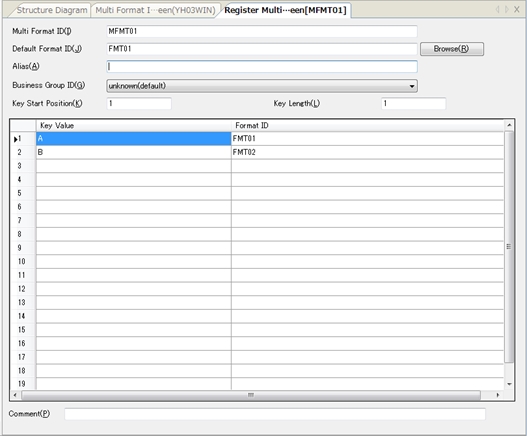
You can configure the Multi Format Information for a client.
When you select a client in the Structure List or on the Structure Diagram and click [Client Management] [Multi Format Information] on the [System Configuration] menu or on the pop-up menu, the Select Multi Format Information Record screen appears.
For details on the Select Multi Format Information Record screen and the Modify Multi Format Information Record screen, refer to Setting of Multi Format Information.
| Supported Host Types | All host types of HULFT |
| Initial Settings | Initial settings are acquired when you add the client or when the management information is acquired. |
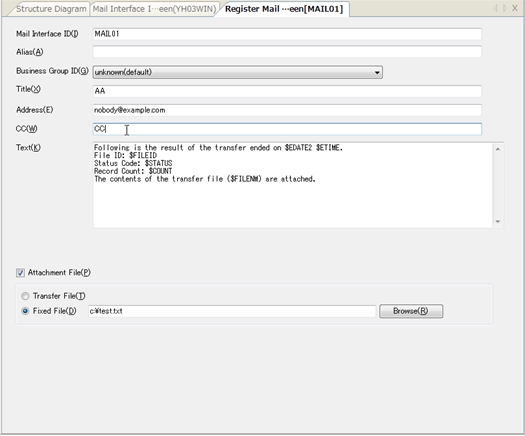
Mail Interface Information
You can configure the Mail Interface Information for a client.
When you select a client in the Structure List or on the Structure Diagram and click [Client Management] [Mail Interface Information] on the [System Configuration] menu or on the pop-up menu, the Select Mail Interface Information Record screen appears.
For details on the Select Mail Interface Information Record screen and the Modify Mail Interface Information Record screen, refer to Setting of Mail Interface Information.
| Supported Host Types | Each version of HULFT for Windows |
| Initial Settings | Initial settings are acquired when you add the client or when the management information is acquired. |
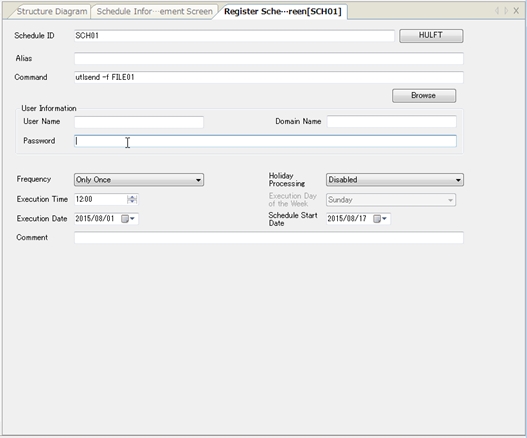
Schedule Information
You can configure the Schedule Information for a client.
When you select a client in the Structure List or on the Structure Diagram and click [Client Management] [Schedule Information] on the [System Configuration] menu or on the pop-up menu, the Schedule Information screen appears.
For details, refer to Setting of Schedule Information.
| Supported Host Types | HULFT7 for Windows-ENT, HULFT7 for Windows-EX, HULFT8 for Windows-Server, HULFT10 for Windows-Server |
| Initial Settings | Initial settings are acquired when you add the client or when the management information is acquired. |
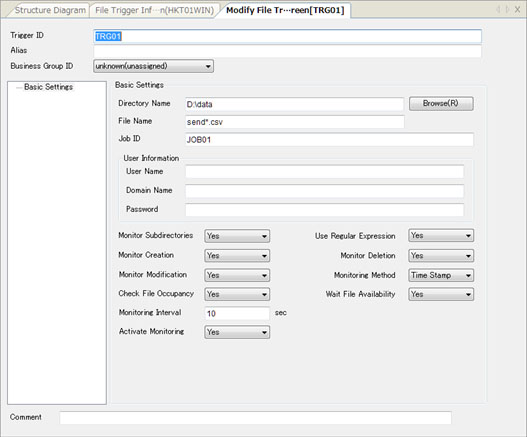
File Trigger Information
You can configure the File Trigger Information for a client.
When you select a client in the Structure List or on the Structure Diagram and click [Client Management] [File Trigger Information] on the [System Configuration] menu or on the pop-up menu, the Select File Trigger Information Record screen appears.
For details on the Select File Trigger Information Record screen and the Modify File Trigger Information Record screen, refer to Setting of File Trigger Information.
| Supported Host Types | HULFT7 for UNIX/Linux-EX, HULFT8 for UNIX/Linux-Enterprise, HULFT10 for Linux/AIX-Enterprise |
| HULFT7 for Windows-EX, HULFT8 for Windows-Server, HULFT10 for Windows-Server |
|
| Initial Settings | Initial settings are acquired when you add the client or when the management information is acquired. |
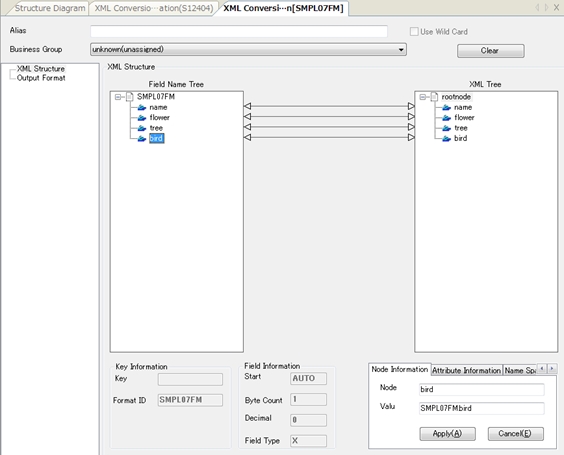
XML Conversion Information
You can configure information that is related to XML conversion for transfers.
When you select a client in the Structure List or on the Structure Diagram and click [Client Management] [XML Conversion Information] on the [System Configuration] menu or on the pop-up menu, the XML Conversion Information screen appears.
| Supported Host Types | HULFT7 for UNIX/Linux |
| HULFT7 for Windows | |
| Initial Settings | Initial settings are acquired when you add the client or when the management information is acquired. |