Synchronous Transfer and Asynchronous Transfer
When the Send File is issued, some processing, such as user program processing, in a job that includes file transfer proceeds to the subsequent processing without waiting for the file transfer to end. The transfer in this case is called 'Asynchronous Transfer.'
On the other hand, there is a transfer type called 'Synchronous Transfer,' where after the Send File is issued, the job waits for the Send processing to end and then starts the subsequent processing.
In the case of the Asynchronous Transfer, after a request is issued to the Send system, the Send processing ends without confirming the end of the file transfer.
In the case of the Synchronous Transfer, the system checks the send completion notification from the host on the receiving side before it carries out the processing that is configured to run after file transfer.
Therefore, set the Synchronous Transfer if you want to check the result of the Send processing before continuing to execute the subsequent processing. To enable the Synchronous Transfer, specify the parameter of Synchronous Transfer when issuing a command.
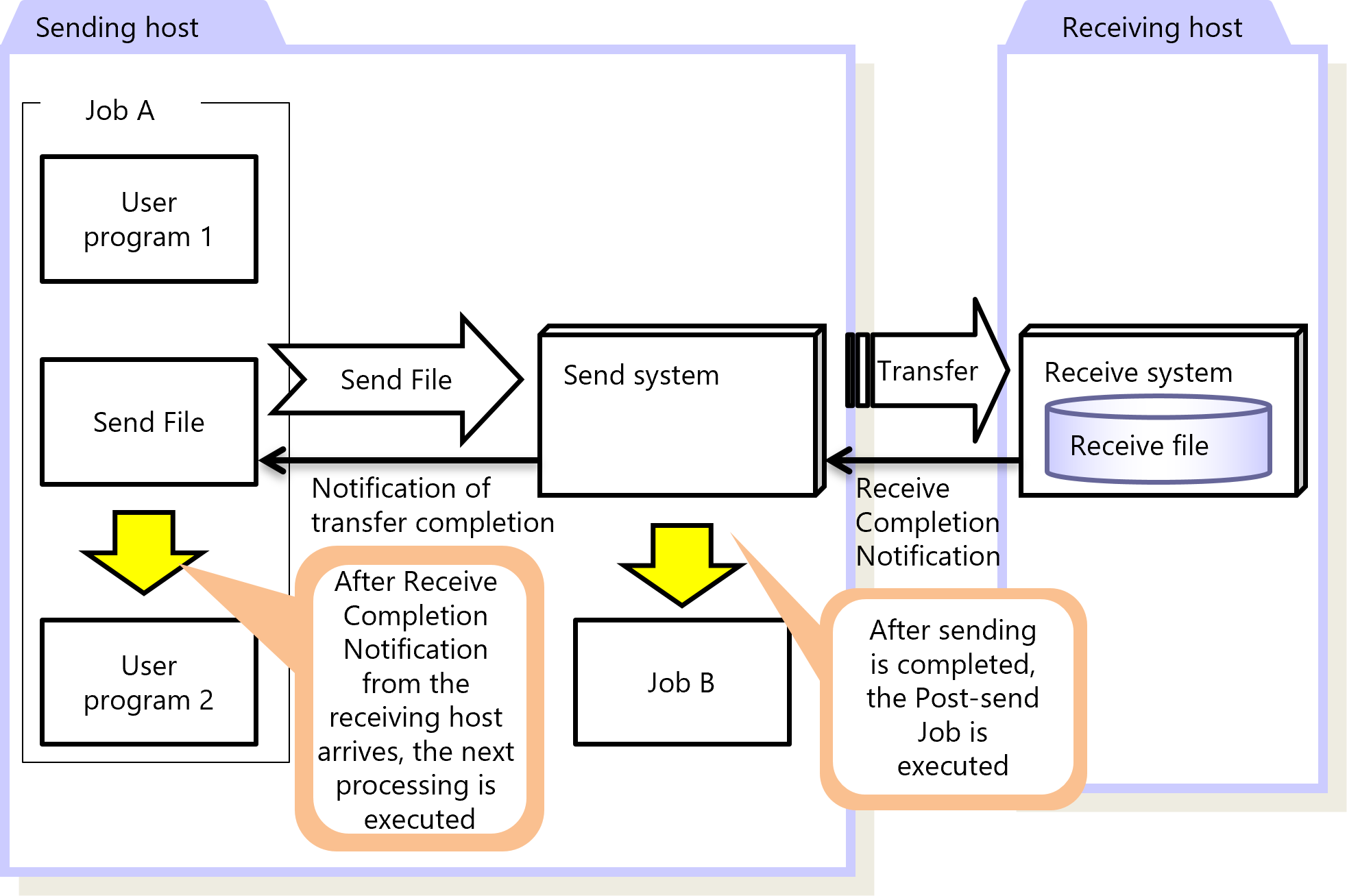
Figure 2.5 Synchronous Transfer
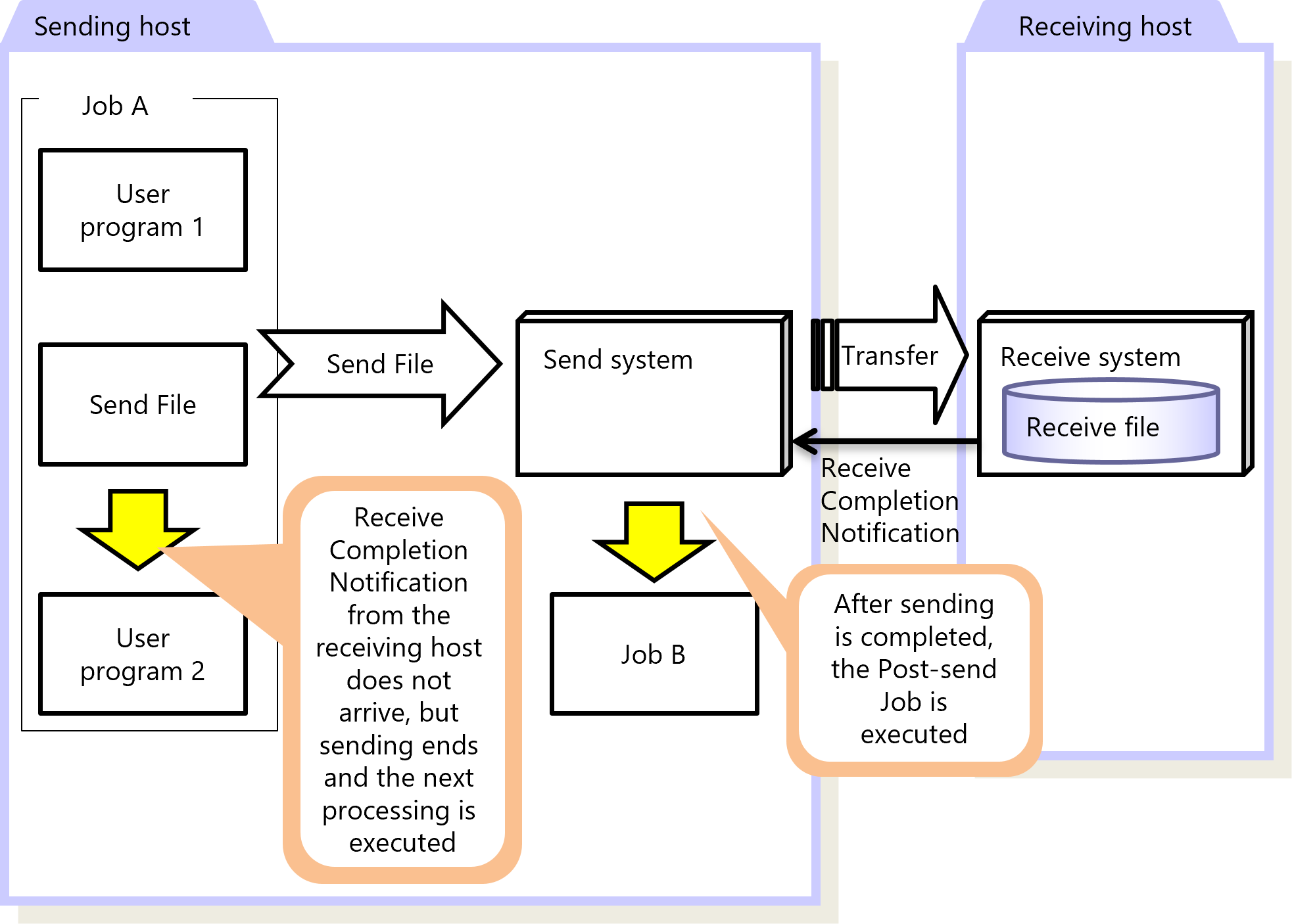
Figure 2.6 Asynchronous Transfer
|
Function |
HULFT for zOS |
HULFT for |
HULFT for |
HULFT for |
HULFT for |
HULFT for |
|---|---|---|---|---|---|---|
|
Synchronous Transfer |
✓ |
✓ |
✓ |
✓ |
✓ |
✓ |
|
Asynchronous Transfer |
✓ |
✓ |
✓ |
✓ |
✓ |
✓ |
|
✓ |
: |
Available |
|
† |
: |
Partially available |
|
- |
: |
Not available |
For details about Synchronous Transfer and Asynchronous Transfer, refer to the following:
HULFT10 for zOS Administration Manual :
HULFT10 for IBMi Administration Manual :
HULFT10 for Linux/AIX Administration Manual :
HULFT10 for Windows Administration Manual :