Send File and Resend File
Send File
The Send File is a request for file transfer that is issued to the host on the sending side.
You can issue the Send File on the HULFT Management Console or by running a command.
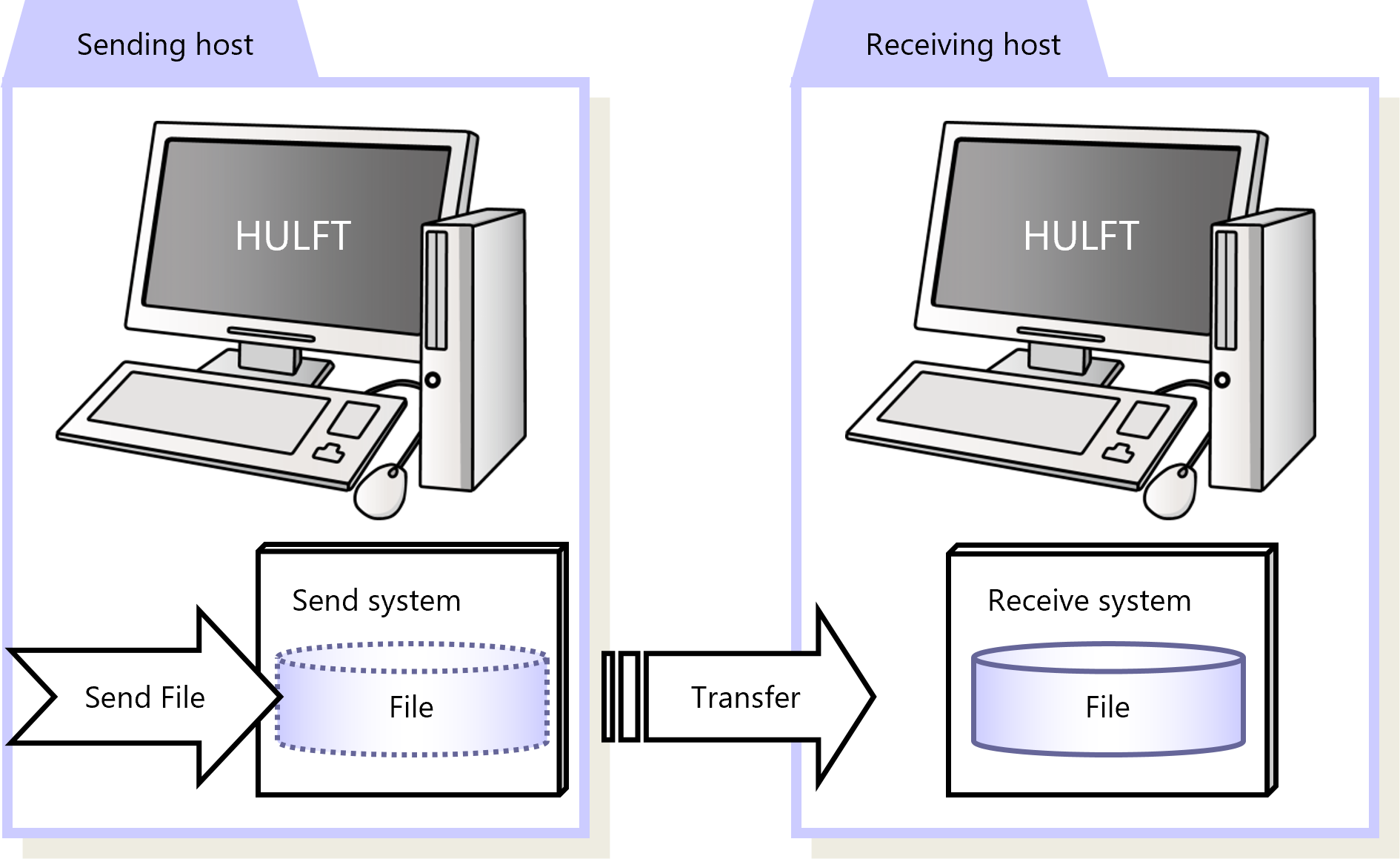
Figure 2.1 Send File
To issue the Send File, specify settings such as a receiving host and a file to send.
Configure the information in the system management information.
|
Function |
HULFT for zOS |
HULFT for |
HULFT for |
HULFT for |
HULFT for |
HULFT for |
|---|---|---|---|---|---|---|
|
Send File |
✓ |
✓ |
✓ |
✓ |
✓ |
✓ |
|
✓ |
: |
Available |
|
† |
: |
Partially available |
|
- |
: |
Not available |
For details about Send File, refer to the following:
HULFT10 for zOS Administration Manual :
HULFT10 for IBMi Administration Manual :
HULFT10 for Linux/AIX Administration Manual :
HULFT10 for Windows Administration Manual :
Resend File
If the Send File is issued but a network problem or any other reason causes the file not to be transferred, you can request the same transfer again. Such requests are called the 'Resend File.'
You can issue the Resend File on the HULFT Management Console or by running a command.
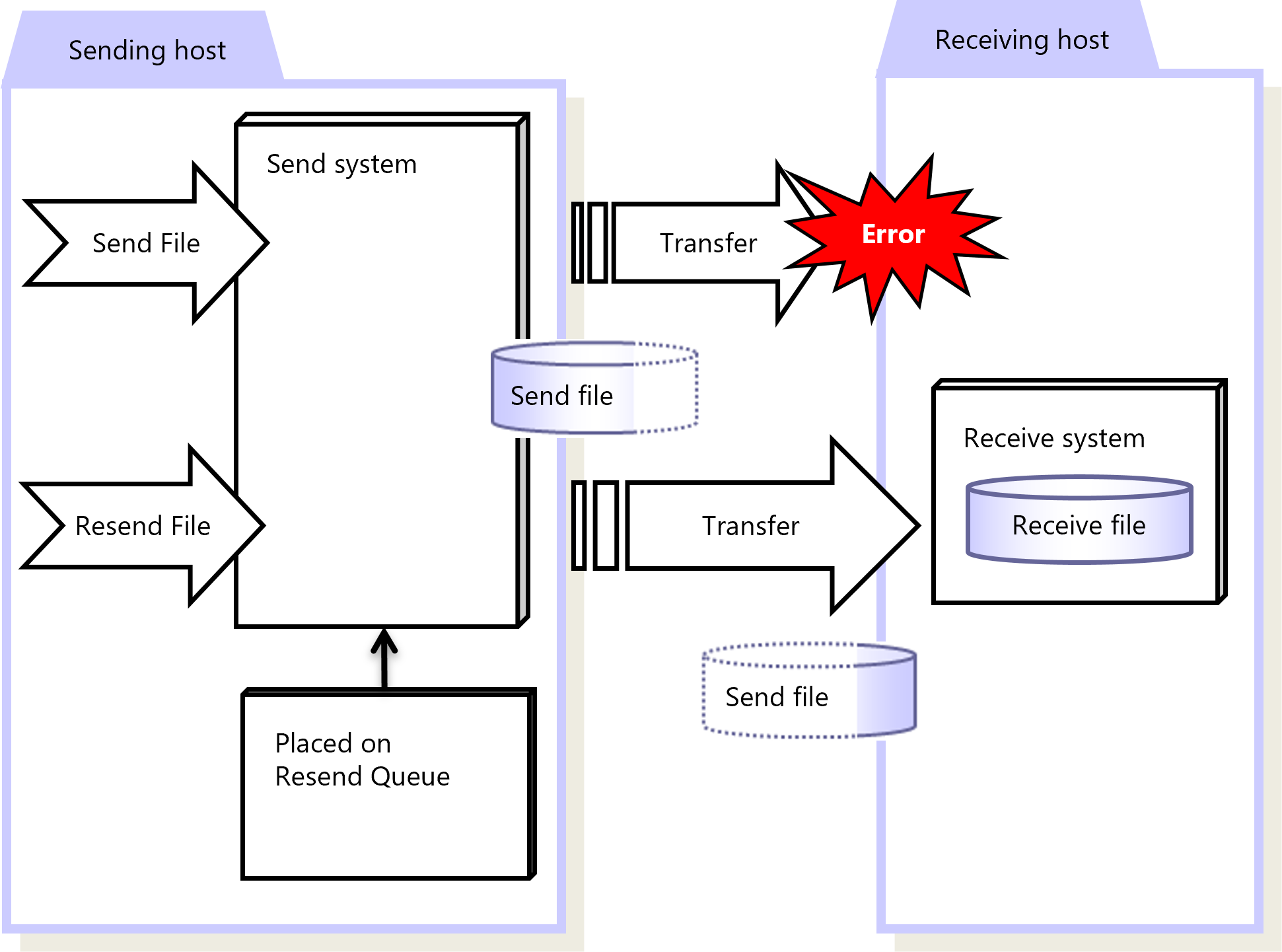
Figure 2.2 Resend File
|
Function |
HULFT for zOS |
HULFT for |
HULFT for |
HULFT for |
HULFT for |
HULFT for |
|---|---|---|---|---|---|---|
|
Resend File |
✓ |
✓ |
✓ |
✓ |
✓ |
✓ |
|
✓ |
: |
Available |
|
† |
: |
Partially available |
|
- |
: |
Not available |
For details about Resend File, refer to the following:
HULFT10 for zOS Administration Manual :
HULFT10 for IBMi Administration Manual :
HULFT10 for Linux/AIX Administration Manual :
HULFT10 for Windows Administration Manual :
There are some points to note regarding use of Resend File on HULFT10 for Container.