Receive Completion Notification
There are two cases when a receive completion notification is sent.
One is when file transfer is complete (Receive Completion) and the other is when a job ends successfully (Successful Job Completion).
In Receive Completion mode, a receive completion notification is sent to the host on the sending side when file transfer is complete. When Successful Job or Unsuccessful Job is specified in the Post-receive Job, a receive completion notification is sent to the host on the sending side before the job is executed.
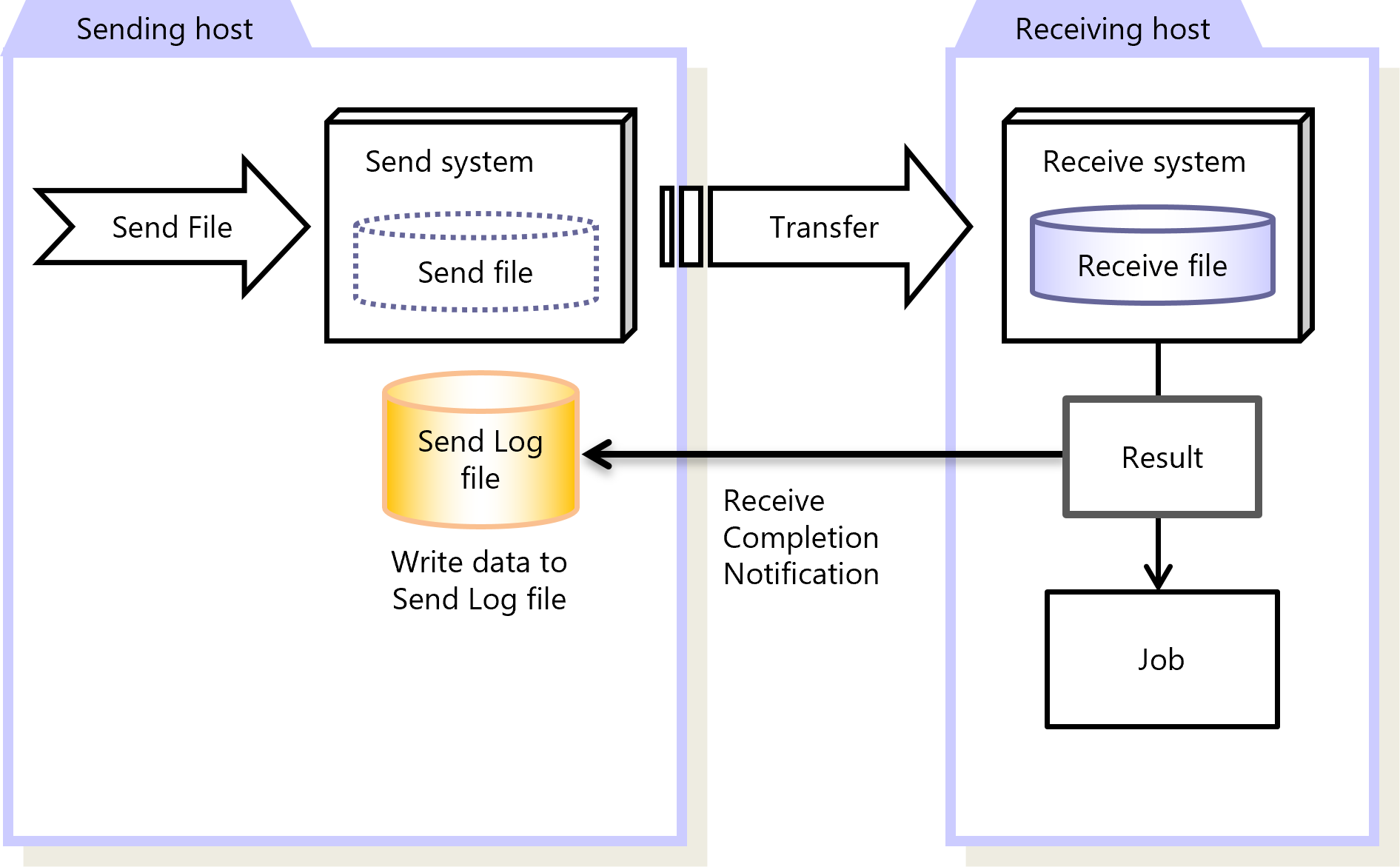
Figure 2.21 Receive Completion
In Successful Job Completion mode, a receive completion notification is sent to the host on the sending side when a successful job that is specified in the Post-receive Job is complete. The execution result of the successful job is sent as a transfer result notification, because the result of the successful job execution is included in the transfer result.
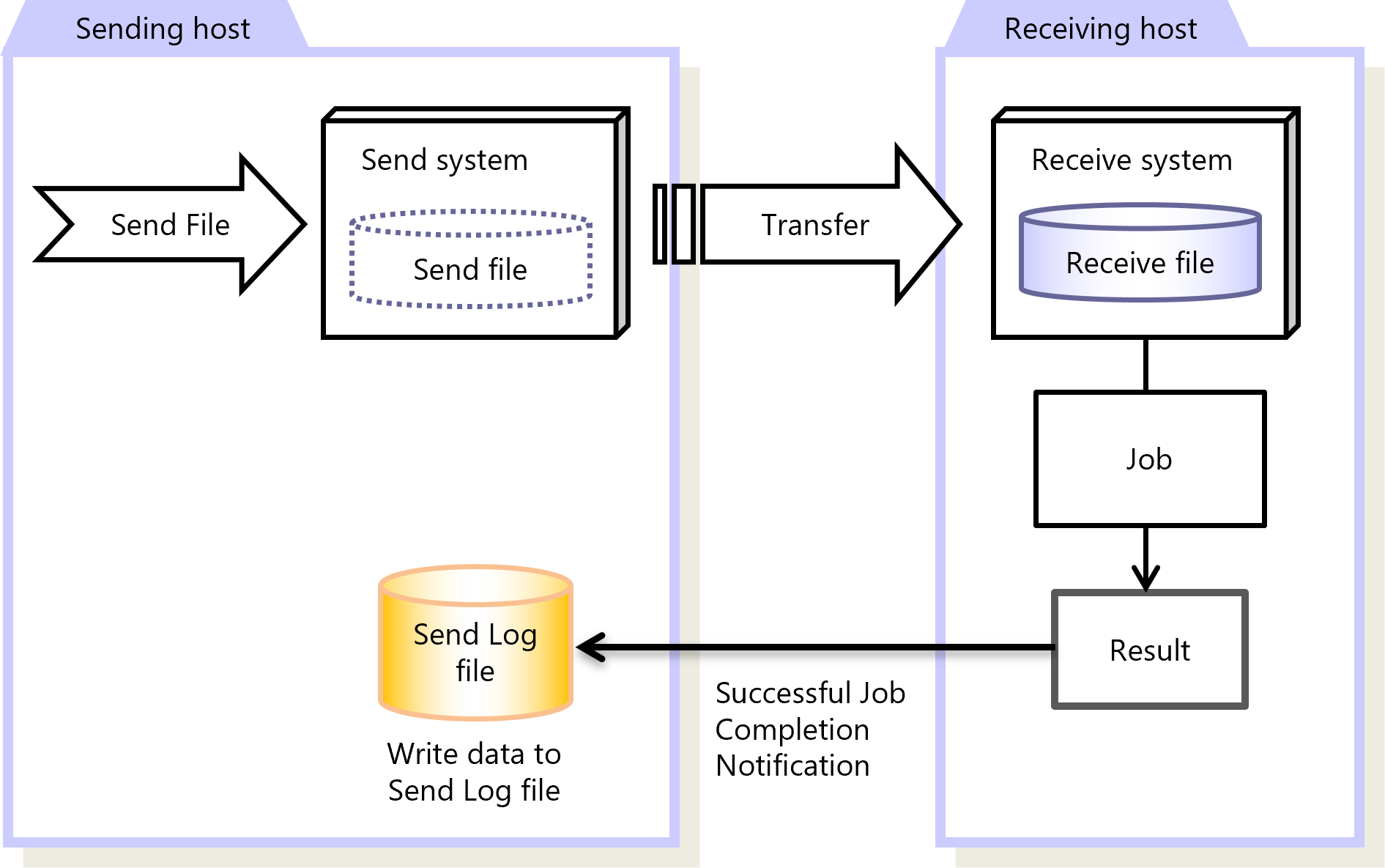
Figure 2.22 Successful Job Completion
The time when the Receive Completion Notification is sent can be set in the Receive Management Information. You can configure the Receive Management Information on the HULFT Management Console or by running a command.
|
Function |
HULFT for zOS |
HULFT for |
HULFT for |
HULFT for |
HULFT for |
HULFT for |
|---|---|---|---|---|---|---|
|
Receive Completion |
✓ |
✓ |
✓ |
✓ |
✓ |
✓ |
|
Successful Job Completion |
✓ |
✓ |
✓ |
✓ |
✓ |
✓ |
|
✓ |
: |
Available |
|
† |
: |
Partially available |
|
- |
: |
Not available |
For details about Receive Completion Notification, refer to the following:
HULFT10 for zOS Administration Manual :
HULFT10 for IBMi Administration Manual :
HULFT10 for Linux/AIX Administration Manual :
HULFT10 for Windows Administration Manual :