Selection of Job Flow Information
When you click the [List] in the Job Flow Setting section of the Server Information in the Transfer definition frame, the Select Job Flow Information Record screen appears.
Select the Job Flow ID that you want to specify as the Post-accumulation Successful Job Flow ID or the Post-accumulation Unsuccessful Job Flow ID, and click the [Select].
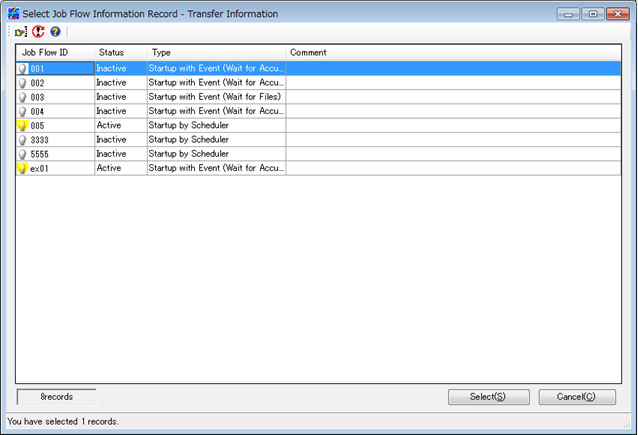
Explanation of Each Field
Job Flow ID
This field shows the ID of the Job Flow.
Status
This field shows the Job Flow status.
Type
This field shows the type of Job Flow.
Comment
This field shows a comment about Job Flow.
Job Flow ID Search
When you right-click the Job Flow list and click the Search on the pop-up menu, the Job Flow ID Search Condition Settings dialog box appears.
By specifying search conditions, you can filter the Job Flow IDs that appear in the list based on the conditions.