Deleting Multifactor Authentication Settings
1. Select the 'MFA Setup' tab on the Account Settings screen on Management Console.
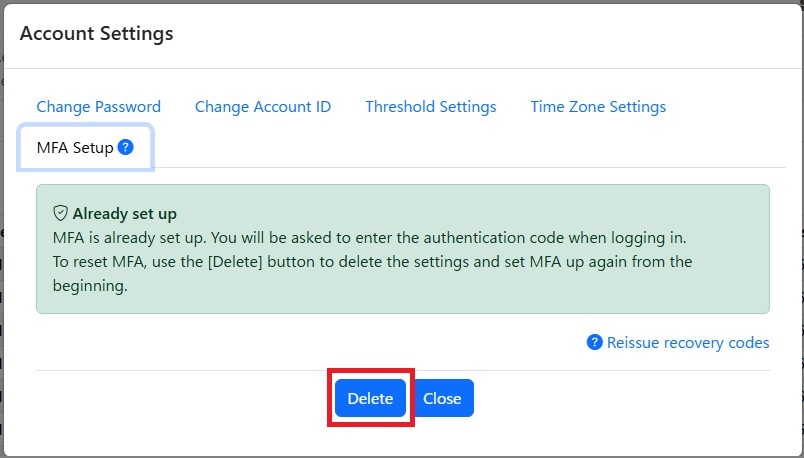
2. Click the [Delete] button.
3. A confirmation message is displayed. Click the [OK] button.
4. The message 'The MFA settings information has been deleted' is displayed.
You can now log in without multifactor authentication.