Sending of Files
This section explains how to send files on Data Transfer Site.
1. Click the [Send a File] button on the Menu screen.
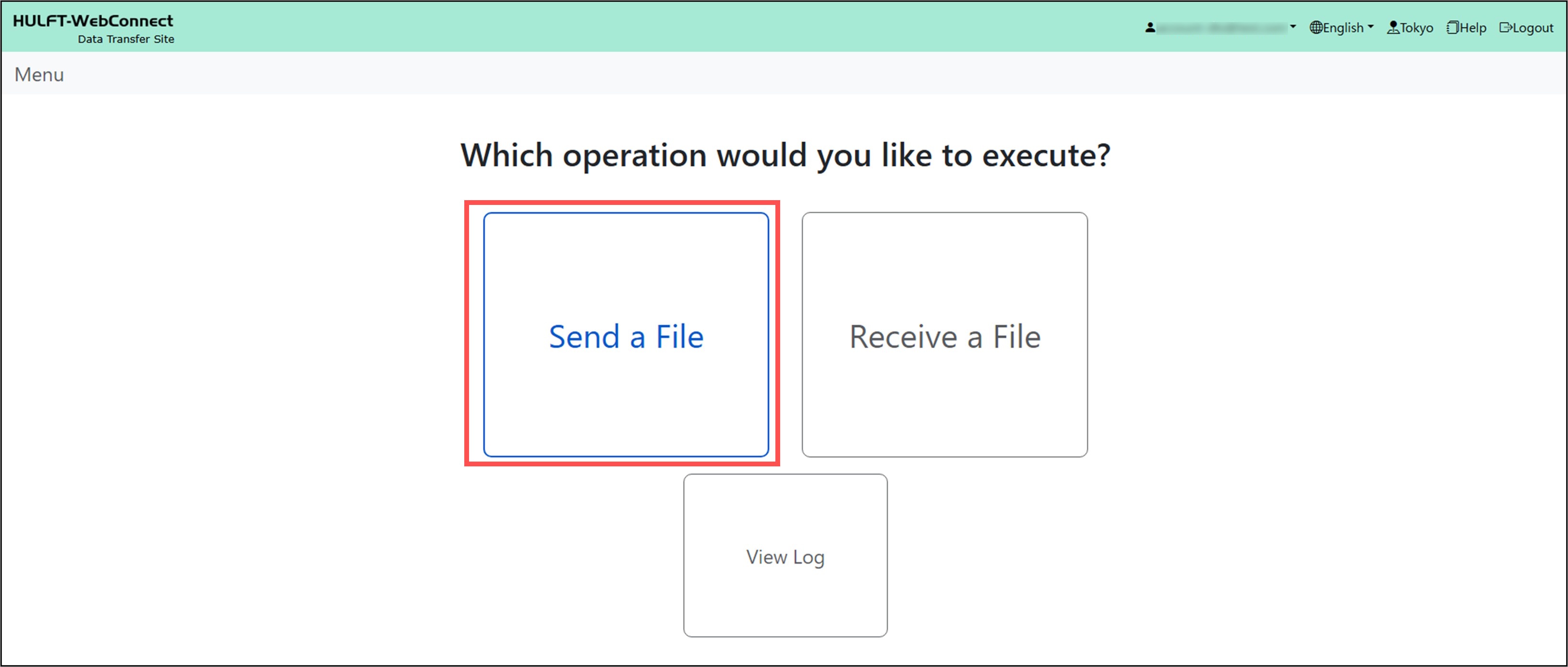
The Menu/Send File screen is displayed.
2. Click the [Refer] button for 'Transfer Settings ID'.
A list of Transfer Settings IDs is displayed. Transfer Settings IDs are the IDs for file destinations defined by the administrator.
3. Select a Transfer Settings ID and click the [Select] button.

The Transfer Settings ID is input on the Menu/Send File screen.
4. Click the [Refer] button for 'File to Send'.
The Open screen is displayed.
5. Select a file to send and click the [Open] button.
The name of the file to send is entered on the Menu/Send File screen.
6. Click the [Send a File] button.
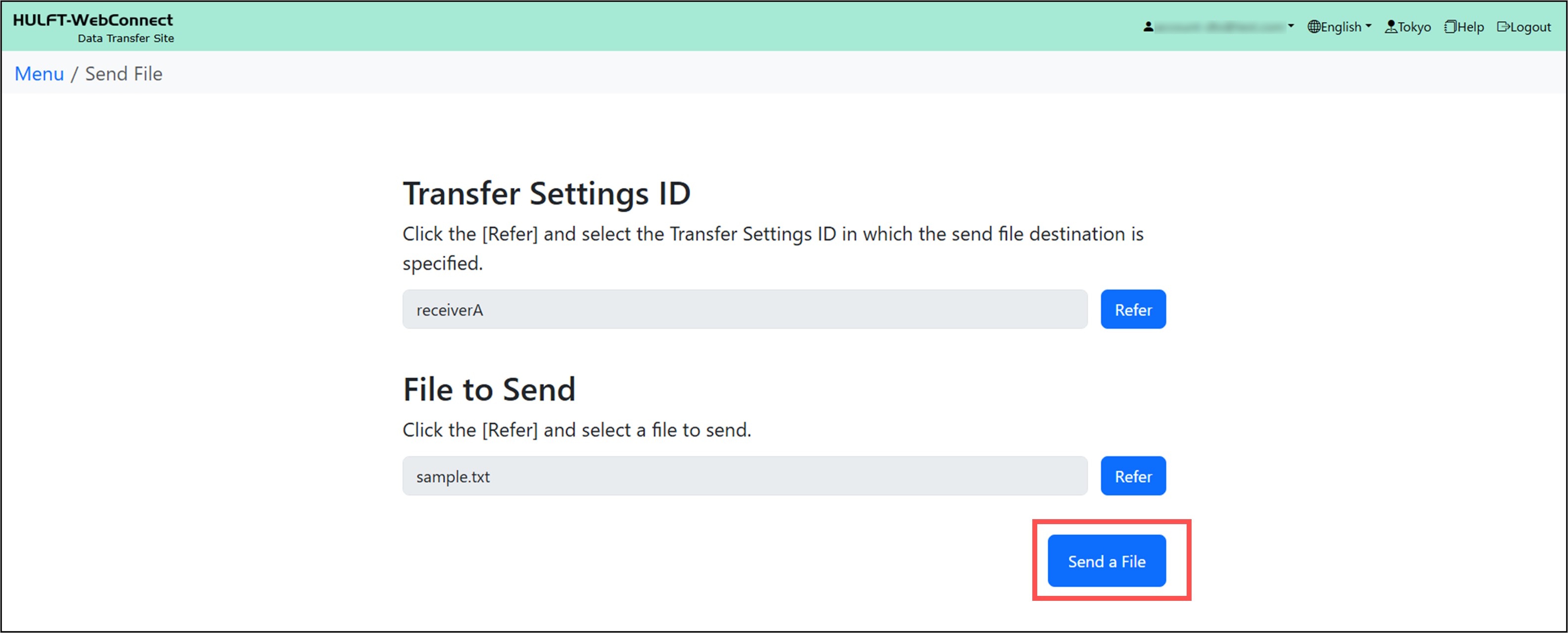
Sending the file is complete.
After selecting a 'File to Send', do not update or delete the file that you selected to be sent.
If you update or delete the corresponding file, click the [Refer] button again and reselect the file to send.