Host Information
This screen allows you to register, update, and delete the Host Information (the detailed information of the host on the sending side or the host on the receiving side).
How to Display Host Information List
-
Select the [Host Information] on the [System Configuration] menu.
The Host Information List screen is displayed. The Host Names currently registered are listed on the screen.
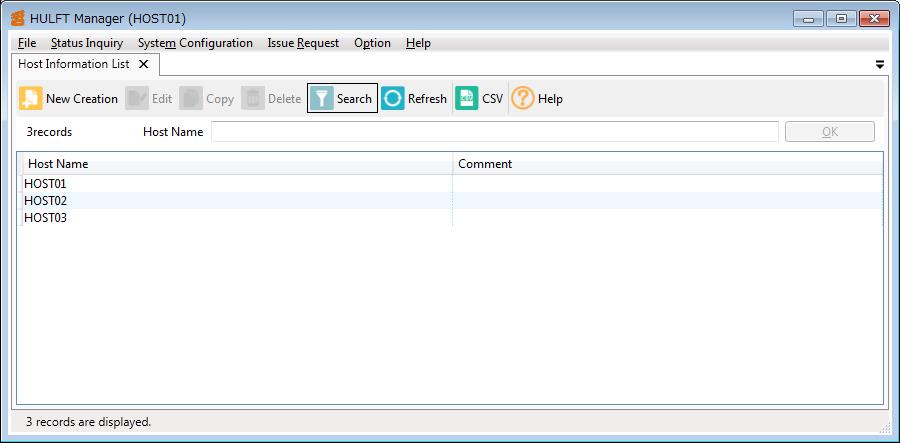
Screen 5.37 Host Information List Screen
How to Update Host Information
-
For new registration, enter the Host Name to be newly registered in the Host Name field on the Host Information List screen, and click the [OK]. For modification, enter the Host Name to be modified in the Host Name field or select the intended Host Name in the list, and click the [OK].
The Host Information Update screen is displayed. The Host Information Update screen includes Basic Settings, Internet, and Security settings. The Host Information Update screen will vary depending on the host type. For the details on the screen and the fields, refer to Host Information topic of each host type below Operation of the destination hosts (when connecting to a version lower than HULFT8) part.
-
Set the necessary fields on the Host Information Update screen, and click the [Save] on the toolbar. If you do not want to save the information, click the [X] (Close) on the screen.
Basic Settings
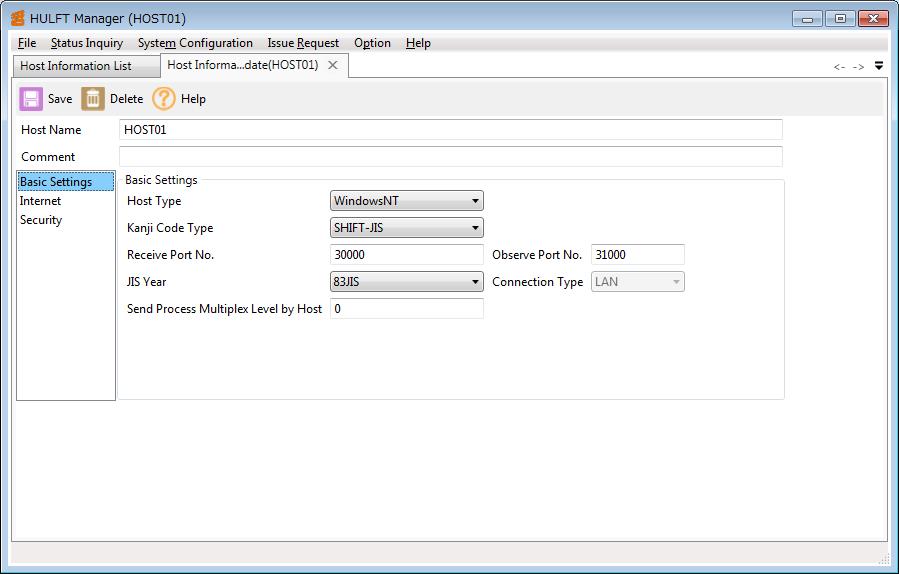
Screen 5.38 Host Information Update Screen (Basic Settings)
Internet
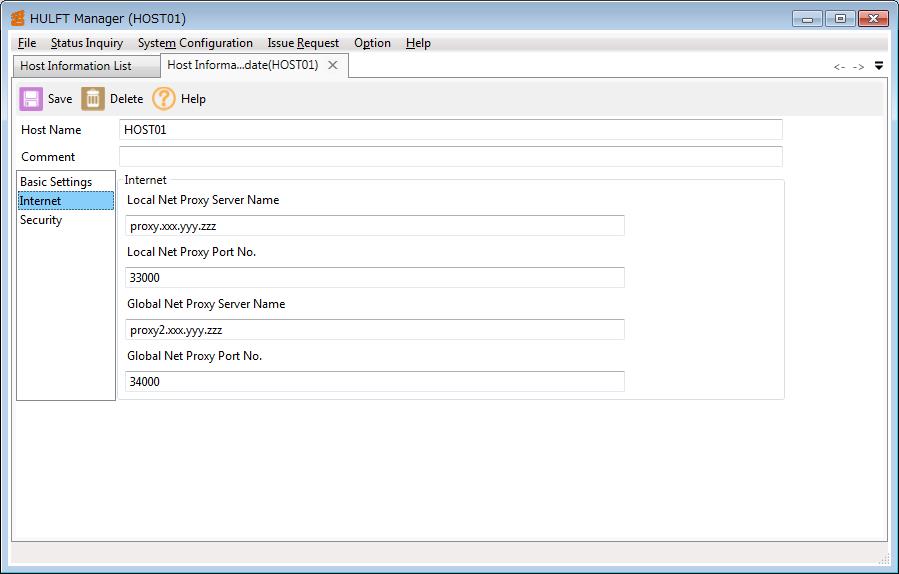
Screen 5.39 Host Information Update Screen (Internet)
Security
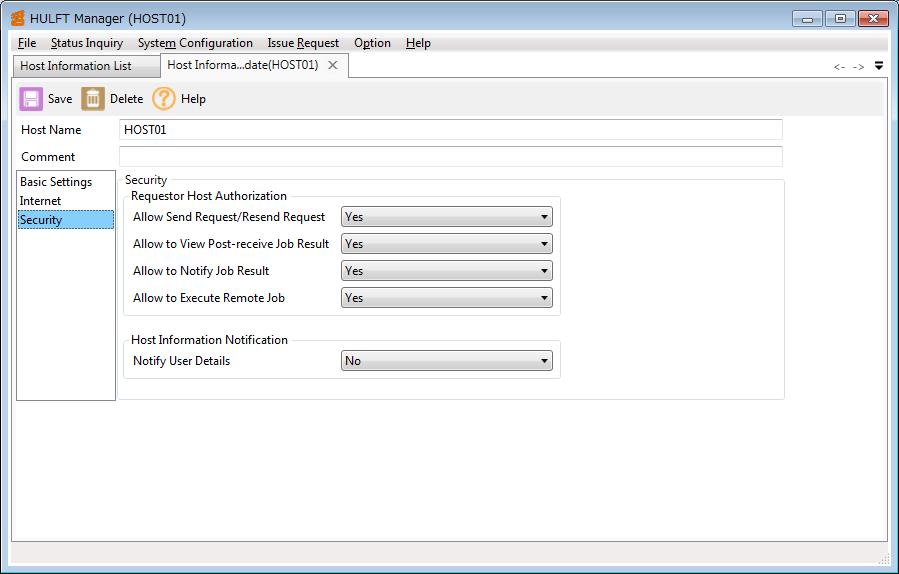
Screen 5.40 Host Information Update Screen (Security)
SAN (XLD) (only when the Connection Type is 'SAN(XLD)')
'SAN(XLD)' can be selected only when HULFT-SAN is installed.
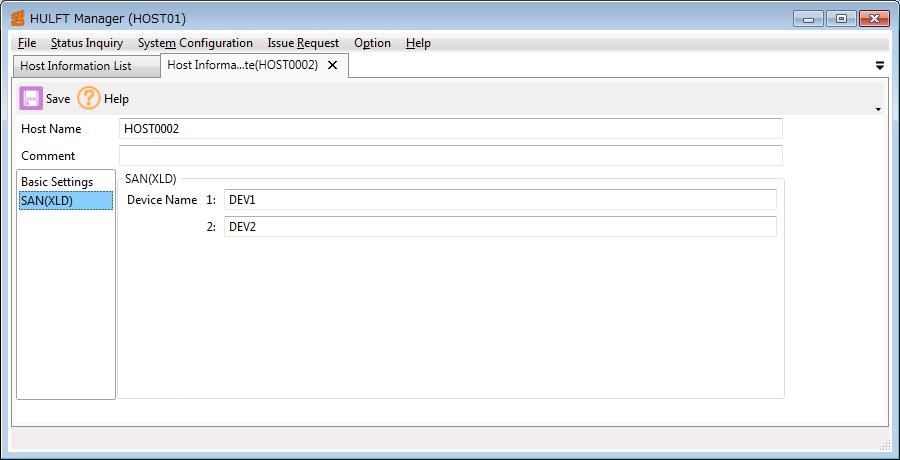
Screen 5.41 Host Information Update Screen (SAN(XLD))
Whether to display the Host Information Update screen in tab form or in floating form depends on the setting of the How to select the Display Preference.
The operation methods of the [Delete], the [Copy], the [Search], the [CSV], and the [Refresh] on the toolbar are the same as those on the Send Management Information List screen.