Checkpoint Resend File
If an error occurs during a file transfer and the file needs to be resent, the HULFT system can resume the file transfer from the point where the error occurred. This function is called the 'Checkpoint Resend File.'
If an error occurs during a file transfer, the HULFT system records the point where the error occurred as a checkpoint. Executing the Checkpoint Resend File resumes the file transfer from the checkpoint. This function is effective when a Send file contains a large amount of data, because data that has already been transferred is not transferred again.
To use this function, specify the Checkpoint Resend File when issuing the Resend File.
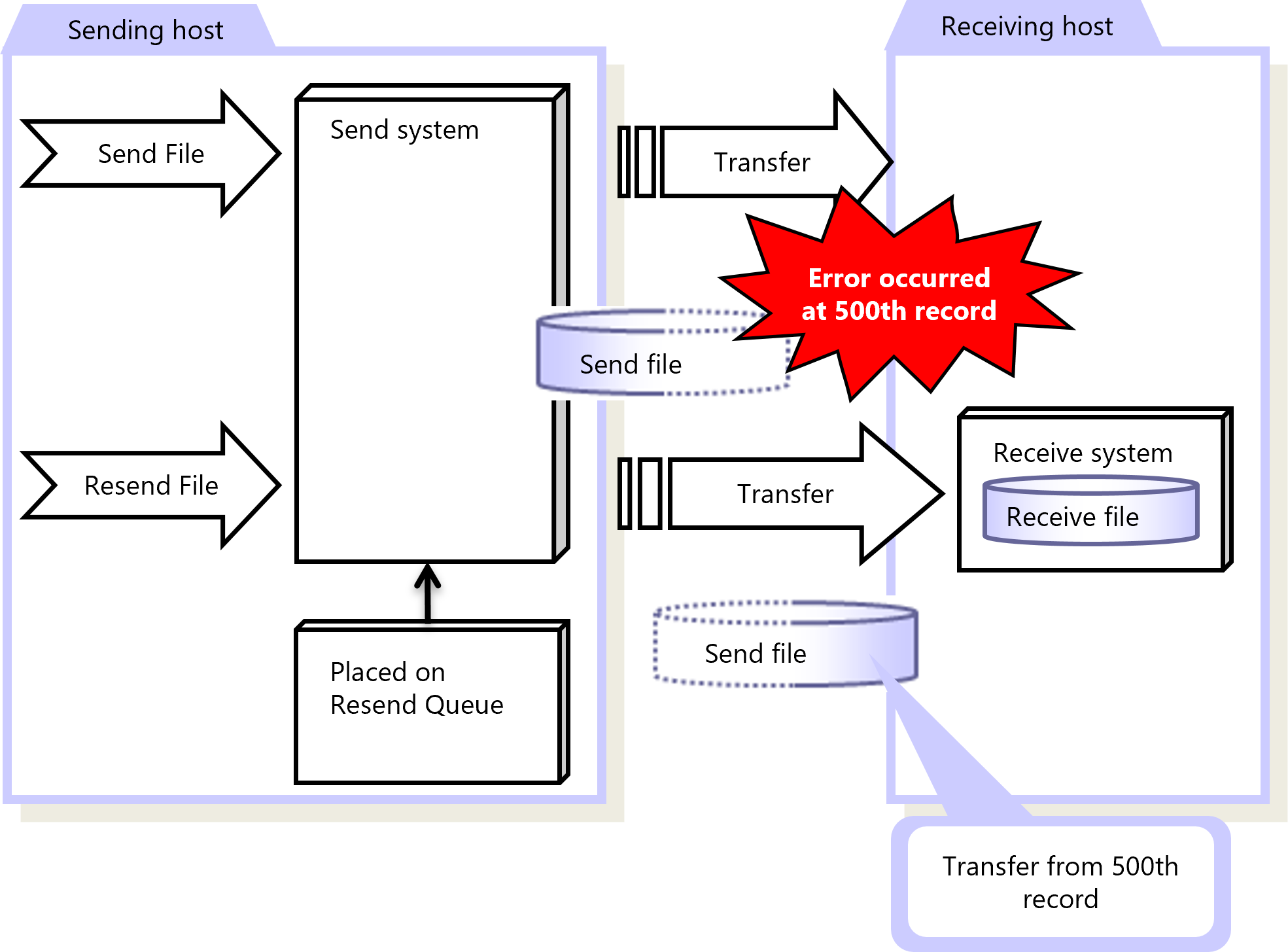
Figure 2.3 Checkpoint Resend File
|
Function |
HULFT for zOS |
HULFT for |
HULFT for |
HULFT for |
HULFT for |
HULFT for |
|---|---|---|---|---|---|---|
|
Checkpoint Resend File |
✓ |
✓ |
✓ |
✓ |
✓ (*1) |
✓ (*1) |
|
✓ |
: |
Available |
|
† |
: |
Partially available |
|
- |
: |
Not available |
|
*1 |
: |
If you use object storage when receiving or sending files, you cannot use Checkpoint Resend File. |
For details about Checkpoint Resend File, refer to the following:
HULFT10 for zOS Administration Manual :
HULFT10 for IBMi Administration Manual :
HULFT10 for Linux/AIX Administration Manual :
HULFT10 for Windows Administration Manual :