Single Receive and Multiple Receive
The mode for receiving of Receive file is selected as 'Single Receive' or 'Multiple Receive.'
In Single Receive, a single host on the receiving side receives a file transferred from a single host on the sending side.
In Multiple Receive, a single host on the receiving side receives multiple files transferred from multiple hosts on the sending side and appends the files to a single file.
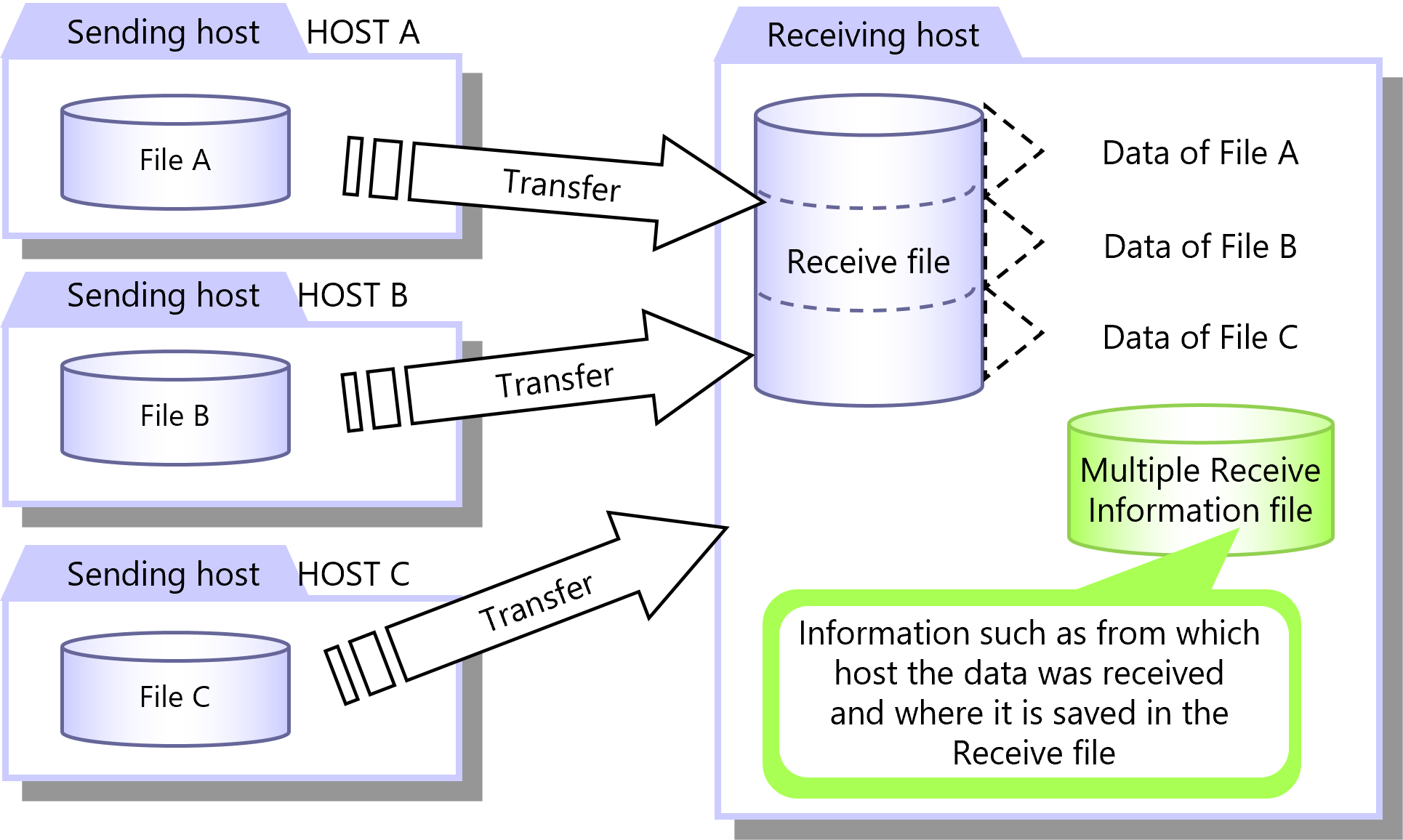
Figure 2.18 Multiple Receive
When files are received in Multiple Receive, the Multiple Receive Information file is used to manage within the Receive file the location of data from each host. This information can be used to extract required data from the Receive file.
Specify Receive Mode in the Receive Management Information. You can configure the Receive Management Information on the HULFT Management Console or by running a command.
|
Function |
HULFT for zOS |
HULFT for |
HULFT for |
HULFT for |
HULFT for |
HULFT for |
|---|---|---|---|---|---|---|
|
Single Receive |
✓ |
✓ |
✓ |
✓ |
- (*1) |
- (*1) |
|
Multiple Receive |
✓ |
✓ |
✓ |
✓ |
- |
- |
|
✓ |
: |
Available |
|
† |
: |
Partially available |
|
- |
: |
Not available |
|
*1 |
: |
In HULFT10 for Container, you cannot select Receive Mode. Single Receive only is available. |
For details about Multiple Receive, refer to the following:
HULFT10 for zOS Administration Manual :
HULFT10 for IBMi Administration Manual :
HULFT10 for Linux/AIX Administration Manual :
HULFT10 for Windows Administration Manual :