File Trigger
It is possible to monitor an operation performed on a specified file and automatically run a job based on the detected operation. This function is called the 'File Trigger.' With this function, users can use the file operation to trigger file transfer or another operation.
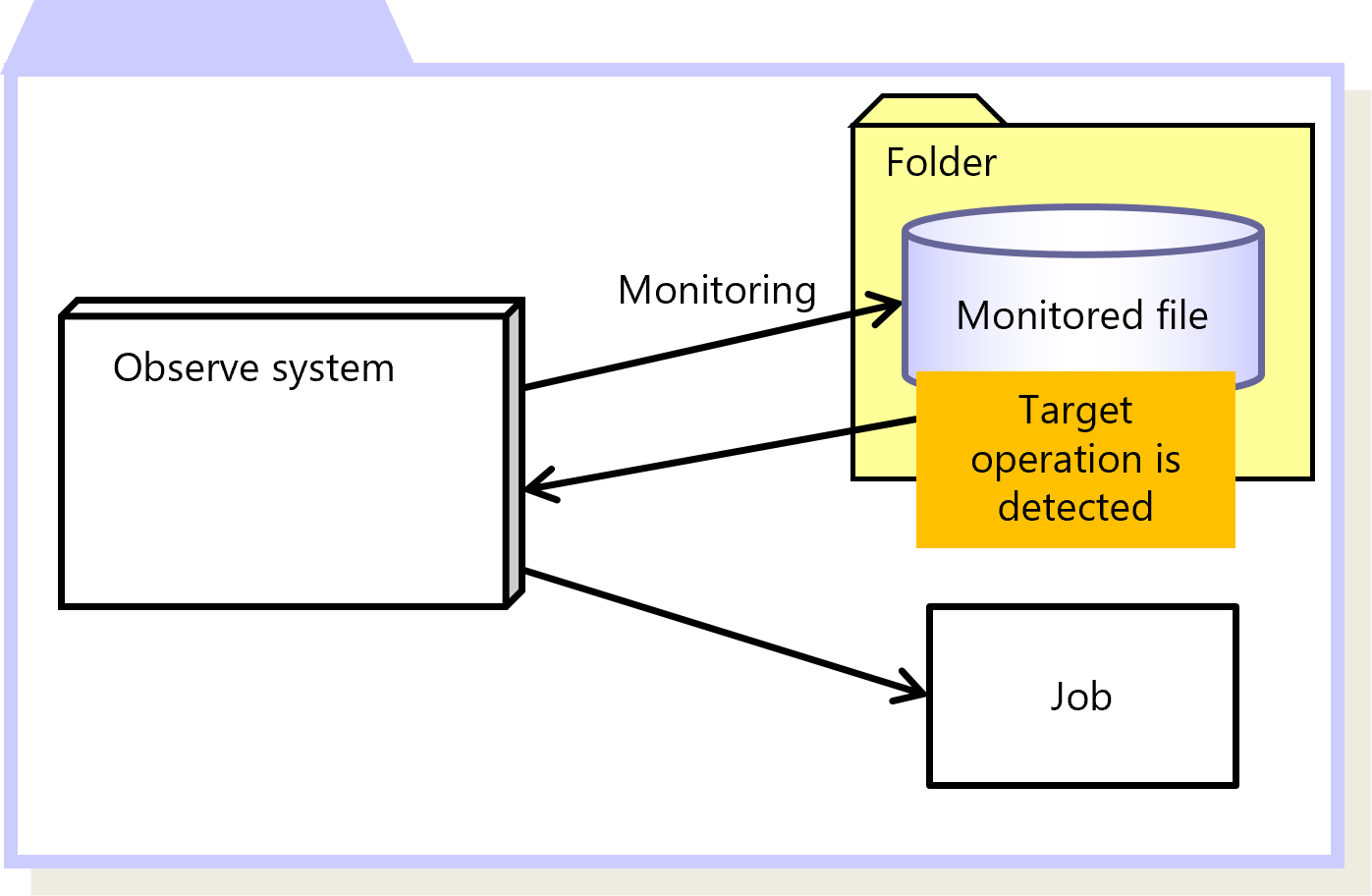
Figure 2.44 File Trigger
To perform monitoring using the File Trigger function, specify the conditions of monitoring in the File Trigger Information.
As one of the conditions for monitoring, if you specify Monitor Subdirectories as 'Yes (Y),' you can include the sub folders under the specified folder as targets for monitoring.
You can specify the File Trigger Information on the HULFT Management Console or by running a command.
If you modified the settings in the File Trigger Information, you must restart the Observe system.
You can also use a function called 'File Trigger Information Control,' which can skip the operation to restart the system and dynamically reload the File Trigger Information. The File Trigger Information Control is set with a command.
|
Function |
HULFT for zOS |
HULFT for |
HULFT for |
HULFT for |
HULFT for |
HULFT for |
|---|---|---|---|---|---|---|
|
File Trigger |
- |
- |
✓ |
✓ |
- |
- |
|
✓ |
: |
Available |
|
† |
: |
Partially available |
|
- |
: |
Not available |
For details about File Trigger, refer to the following:
HULFT10 for Linux/AIX Administration Manual :
HULFT10 for Windows Administration Manual :