Verify Data function
You can verify that the received file is the same as the file sent from the host on the sending side, and check whether any changes were made to the file during transfer. This function is called the 'Verify Data function.'
If it is found that the Receive file is not the same as the Send file, an error message is sent to the host on the sending side.
Consistency of the transfer file is checked between the start and the end of the file transfer. Consistency cannot be checked after the file is received.
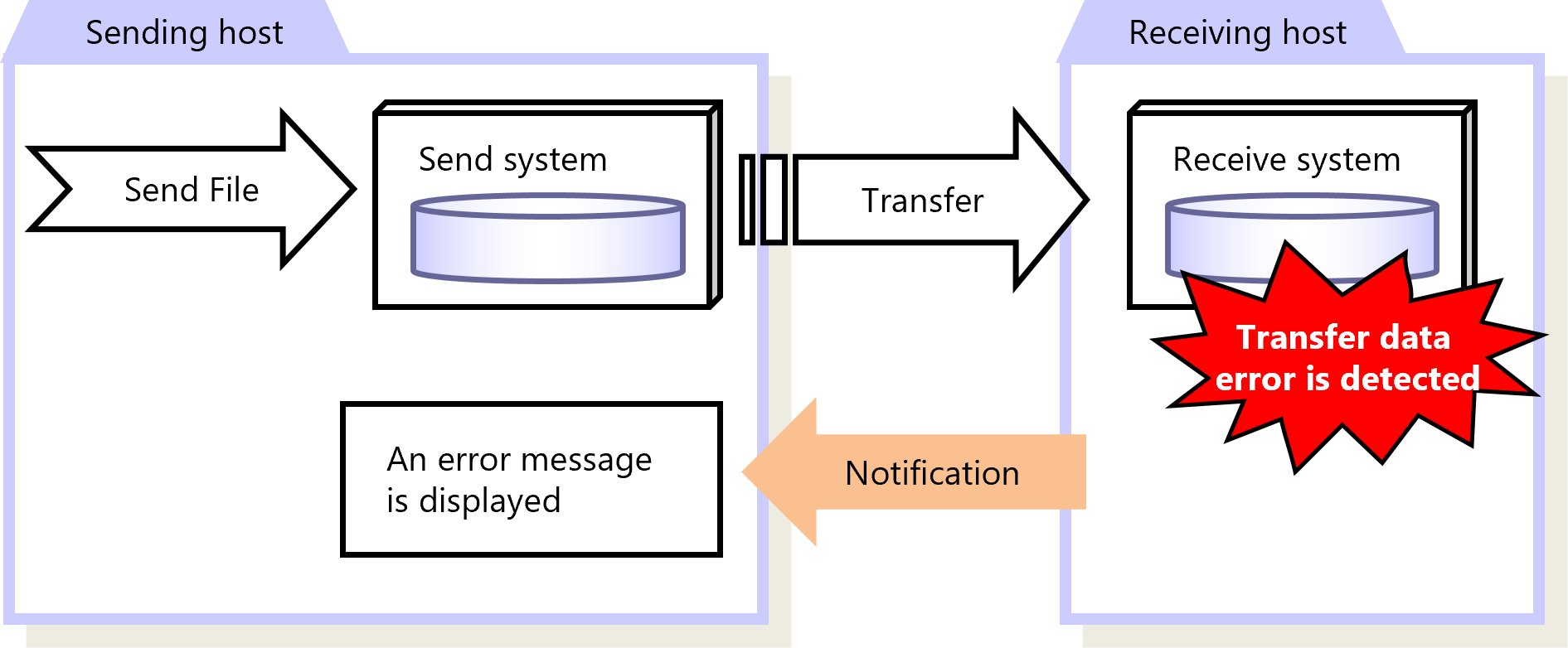
Figure 2.49 Verify Data Function
Configure the Verify Data function in the Receive Management Information. You can configure the Receive Management Information on the HULFT Management Console or by running a command.
To use this function, HULFT Ver.7 or higher must be installed on both the host on the sending side and the host on the receiving side. If the host on the sending side runs a HULFT system lower than Ver.7, a transfer error occurs even when the Verify Data function has been set up on the host on the receiving side.
|
Function |
HULFT for zOS |
HULFT for |
HULFT for |
HULFT for |
HULFT for |
HULFT for |
|---|---|---|---|---|---|---|
|
Verify Data function |
✓ |
✓ |
✓ |
✓ |
✓ |
✓ |
|
✓ |
: |
Available |
|
† |
: |
Partially available |
|
- |
: |
Not available |
For details about the Verify Data function, refer to the following:
HULFT10 for zOS Administration Manual :
HULFT10 for IBMi Administration Manual :
HULFT10 for Linux/AIX Administration Manual :
HULFT10 for Windows Administration Manual :