Change of the priority and the Send Queue Processing settings
If the number of transfers (Send processing) exceeds the Send Multiplex Level, the extra transfers are placed on the Send Queue. When multiple transfers (Send processing) exist in the Send Queue, you can set which transfer (Send processing) to execute first. This order is called the 'priority' setting.
Priority is set in the Send Management Information. Also, when you issue the Send File, you can change the priority that has been specified in the Send Management Information.
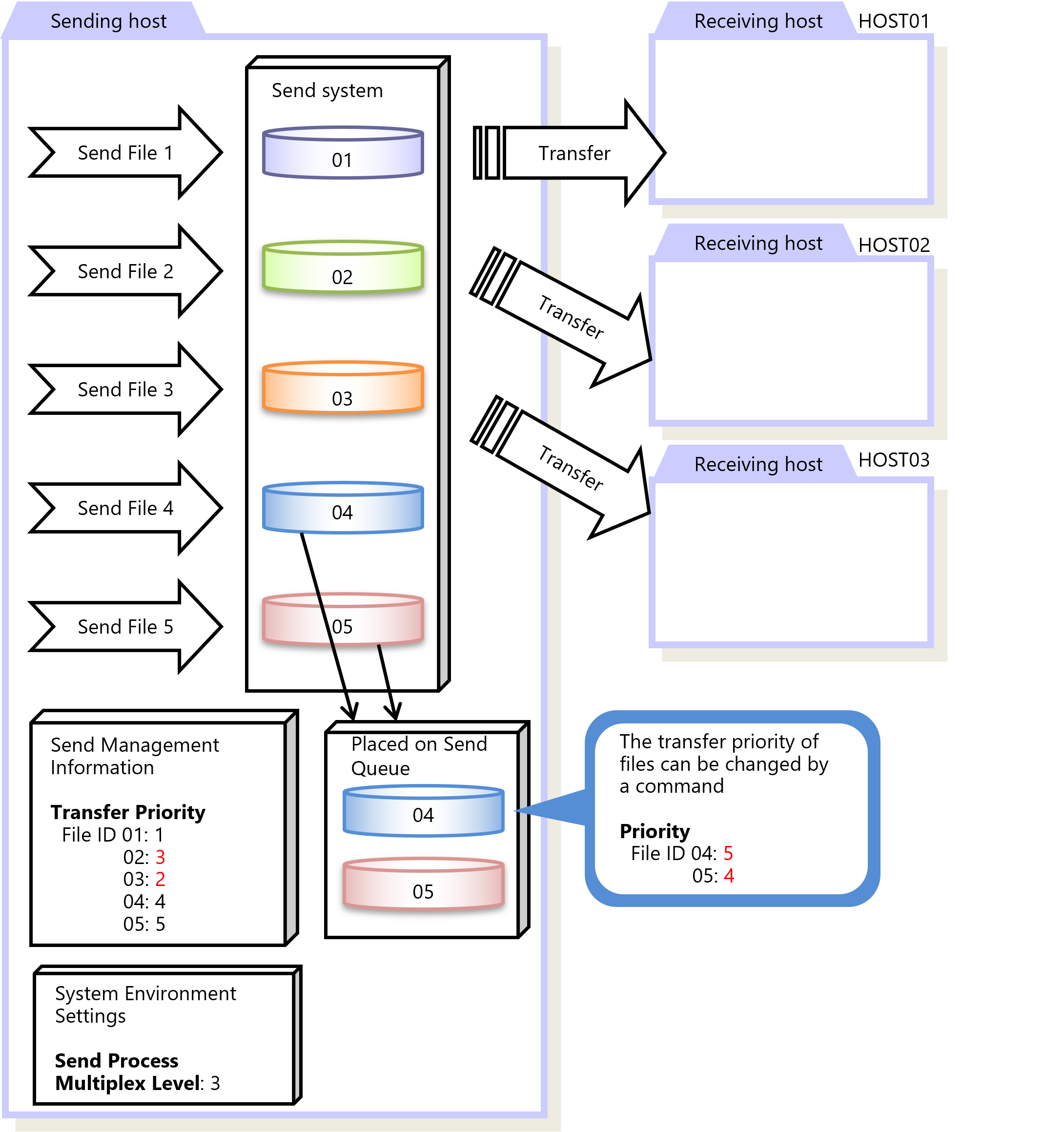
Figure 2.11 Priority
You can configure the Send Management Information on the HULFT Management Console or by running a command.
You can change the priority, the transfer interval, the transfer block size, and other settings of the transfers (Send processing) placed on the Send Queue. You can configure the settings for Send Queue Processing on the HULFT Management Console or by running a command.
|
Function |
HULFT for zOS |
HULFT for |
HULFT for |
HULFT for |
HULFT for |
HULFT for |
|---|---|---|---|---|---|---|
|
Change of the priority and the Send Queue Processing settings |
✓ |
✓ |
✓ |
✓ |
- |
- |
|
✓ |
: |
Available |
|
† |
: |
Partially available |
|
- |
: |
Not available |
For details about Transfer Priority, refer to the following:
HULFT10 for zOS Operation Manual :
HULFT10 for IBMi Operation Manual :
HULFT10 for Linux/AIX Operation Manual :
HULFT10 for Windows Operation Manual :