Overview of message codes
Message code system
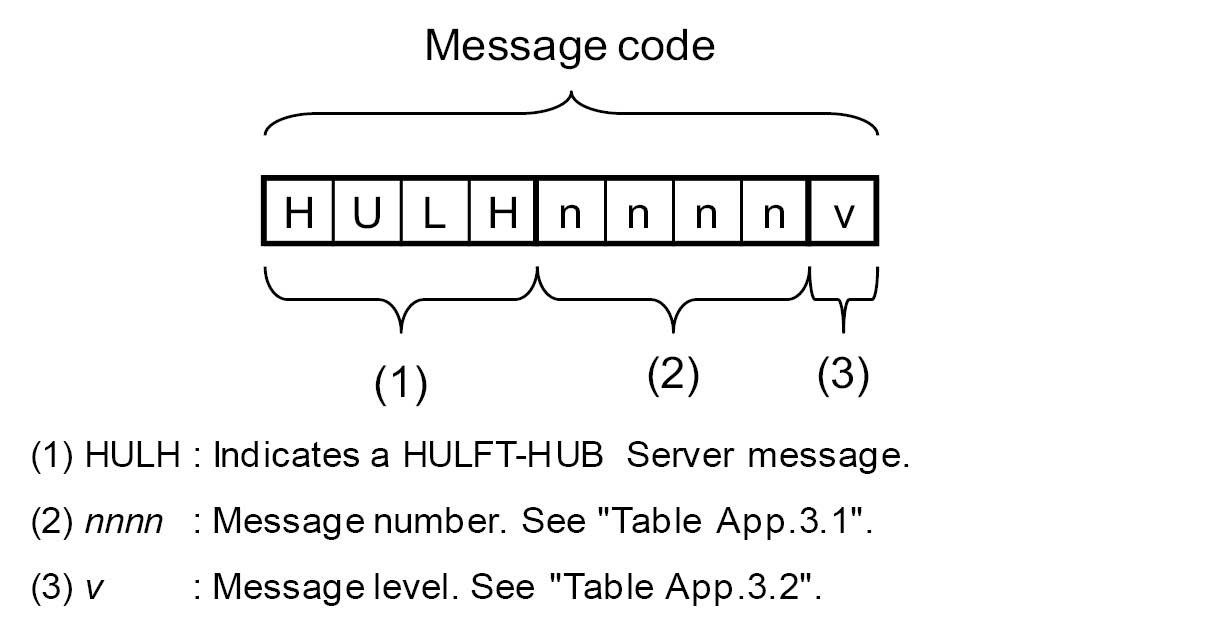
Figure C.1 Message code system
Classification of message numbers
Table C.1 Classification of message numbers
|
Message number |
Classification |
|---|---|
|
0001 to 1000 |
Messages related to system control |
|
1001 to 2000 |
Messages related to transfer processing and framed message analysis |
|
2001 to 3000 |
Messages related to HULFT-HUB Manager |
|
3001 to 4000 |
Messages related to memory access |
|
4001 to 5000 |
Messages related to file or database access |
|
5001 to 6000 |
Messages related to parameters and/or arguments |
|
6001 to 7000 |
Messages related to communication |
|
7001 to 7499 |
Messages related to accumulation |
|
8001 to 9000 |
Messages related to job flow |
Message level
Table C.2 List of message levels
|
Message level |
Description and collection timing |
|
|---|---|---|
|
Critical error |
C |
An error that does not occur in normal operations (A system error, such as a database access error or invalid framed message) |
|
Error |
E |
An error that can occur in normal operations, such as a transfer error caused by a mistake in the definition |
|
Warning |
W |
A minor error that does not interrupt processing |
|
Information |
I |
Occurrence of an event, or normal end of an event <Example> 1) Start and end of HULFT-HUB Server 2) Start and end of transfer (relay/multicasting) 3) Reception of a request from HULFT-HUB Manager, and end of processing |
|
Forced output |
F |
A message forcibly output regardless of the Trace Acquisition Mode (TraceMode) settings in the System Environment Settings(*1) (An error when the operation log is output) |
|
*1 |
: |
For details about the System Environment Settings, see System environment settings in this manual. |
How to read the list of messages
A message description and the measure to cope with the problem are described for each message.
Legend:
nnnnv: Message text corresponding to message-number + message-level.
- Description:
-
Describes the meaning of the message and variable output fields.
- Measure:
-
Describes the measure to cope with an error when the message level is Warning or higher.
The following symbols in a message text indicate variable characters:
- %[0.n]s
-
: Character string (*1)
- %c
-
: One-byte character
- %[0n]d
-
: Number (*2)
- %[0n]x
-
: Hexadecimal number (*3)
|
*1 |
: |
If the size of a character string is less than n bytes, the whole character string is output. If the size of a character string exceeds n bytes, the overflowed part is discarded.
|
|
*2 |
: |
If the number of digits of a number is less than n, '0' is padded to the higher digits. If the number of digits of a number exceeds n, all numbers are output.
|
|
*3 |
: |
If the number of digits of a hexadecimal number is less than n, '0' is padded to the higher digits. If the number of digits of a hexadecimal number exceeds n, all numbers are output.
|