Editing of File Trigger Information
-
Double-click the trigger ID that you want to edit under the File Trigger Information in the Distribution Information Tree to display the details of the File Trigger Information for the relevant ID in the distribution information display frame.
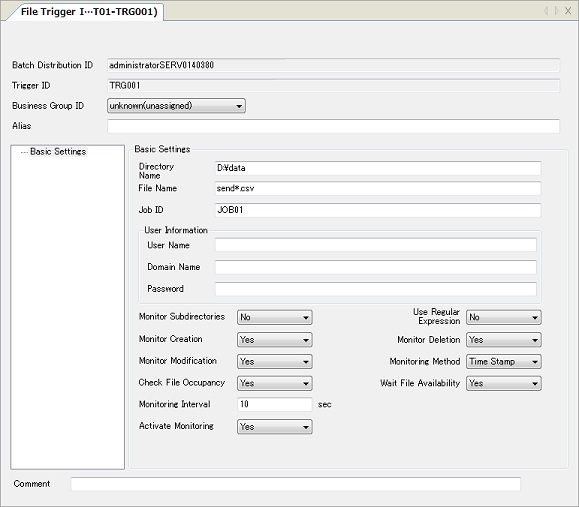
For details of each field, refer to the following topics in Management Information Reference:
Host Type HULFT7 HULFT8 HULFT10 Linux/AIX File Trigger Information File Trigger Information File Trigger Information Windows File Trigger Information File Trigger Information File Trigger Information - Specify the required fields to save the edited File Trigger Information to HULFT-HUB Manager.
| [Note] | The File Trigger Information is displayed when the client is one of following: |
| - | HULFT7 for UNIX/Linux-EX |
| - | HULFT8 for UNIX/Linux-Enterprise |
| - | HULFT10 for Linux/AIX-Enterprise |
| - | HULFT7 for Windows-EX |
| - | HULFT8 for Windows-Server |
| - | HULFT10 for Windows-Server |