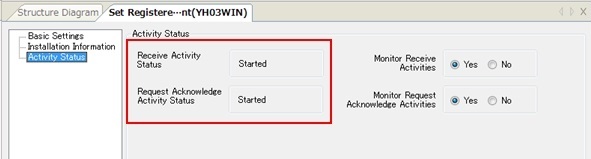
Monitor Activities
The function for managing the activity status of a client is called 'Monitor Activities.'
When you execute the Monitor Activities for a client, HULFT-HUB Manager inquires the status of the client and reflects the results on the Structure Diagram and the Registered Client Settings.
| [Note] | You can use this function only for Clients under Control that are Ver.6 or higher. |
-
Click the client on the Structure Diagram, and click the [Monitor Activities] on the [Operation Support] menu.
- Double-click the client on the Structure Diagram to display the Registered Client Information.
-
The Activity Status shows the current information. In this example, the client has recovered from a stopped state.