A test project is displayed with a green icon
  to distinguish from normal projects.
 For more details on advantages of using the framework, refer to “Testing Script”.
| Function | Purpose |
|---|---|
| Test project | Separate production projects from tests |
| Call script of other project | Test a production script before registering as service |
| Assertion adapter | Verify data |
| Batch run scripts | Execute tests |
| Output test result report | Automated reporting |
| Term | Description |
|---|---|
| Production script | Script to be used in service operation. |
| Production project | Project to be used in service operation. |
| Test script | Script to test production scripts. |
| Test project | Project to test production projects. It has functions specialized for testing. |
Refer to “Service Development” for the development phase and refer to “Service Operation” for registering services.
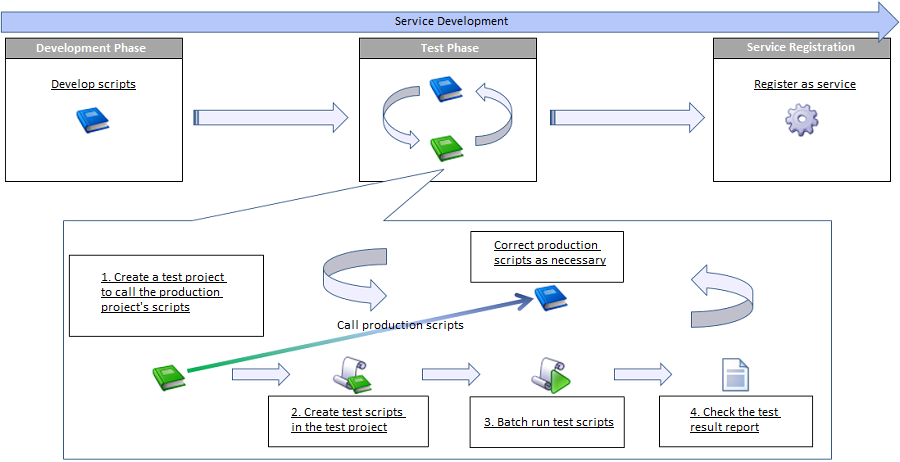
| No. | Item | Description | Corresponding function |
|---|---|---|---|
| 1. | Create test project | Create a test project to test scripts of a production project. | |
| 2. | Create test script | Create test scripts which call the developed production scripts and describe tests.
Also, correct some production scripts as necessary. |
|
| 3. | Batch run test scripts | Batch run the test scripts created in No.2 of the project. | |
| 4. | Check test result report | Check the contents of test result report generated by the batch run in No.3.
Correct some test scripts and production scripts according to the result. |
A test project is displayed with a green icon to distinguish from normal projects.
 About test project
In a test project, you can use the following dedicated functions to support testing a project.
|
|
Relationship between production project and test project
There is no functional restriction that production projects and test projects must be one-to-one relationship. However, we recommend one-to-one relationship because it provides some administrative advantages. When a production project is “PRJ-001” and the test project for that is “PRJ-001_TEST”, you can understand the test target immediately. |
Various assertion methods can be considered depending on the structure of production script. A part of that is introduced in “Test Patterns” section.
|
Calling script of other project
As a script of another project can be called, you can test a production script before service registration (under development). In so doing, you can detect problems in earlier phases. For more details on the function, refer to “Call Script”.
|
| Item name | Description | Remarks |
|---|---|---|
| Script list | List the test scripts in project. |
|
| Script list/Target | Select whether or not to test each script.
|
|
| Script list/Script name | The test script name is displayed. | |
| Script list/Execution result | The execution result of the test script is displayed.
The execution results are the following.
|
|
| Specify type | Select whether or not to specify “Type” for test script batch run.
|
|
| Specify type for execution | Select or enter a type for test script batch run. |
|
| Use default type when specified type is not found | Select whether or not to use the default type when the specified type global resource is not found.
|
|
| Run | The scripts of which [Target] is [Checked] are batch executed. |
|
| Stop | Stop batch running scripts. |
|
|
Batch running scripts
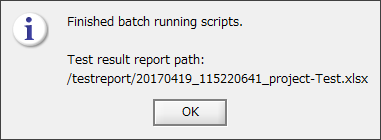
The advantage of batch running scripts is to batch execute the test scripts in a test project and output the test result without registering the project as a service. You can batch run only from Designer. The test result report will be output only when scripts are batch executed.
|
 Test result reports are not deleted automatically. As that will occupy the disk space, it is recommended to delete them periodically.
| Item name | Description | Remarks |
|---|---|---|
| Project | The project name batch executed is output. | |
| Script | The script name batch executed is output. | |
| Result | The execution result of script is output.
|
|
| Message code | The message code is output when the result is “Failure” or “Error”. | |
| Error message | The error message is output when the result is “Failure” or “Error”. | |
| Execution ID | The execution ID of script is output. | |
| Exit status | The exit status of script is output. | |
| Execution time (seconds) | The execution time of script is output in seconds. |
|
Outputting test result report
A test result report is assumed to be used as is for the verification result (evidence) of the test phase. |
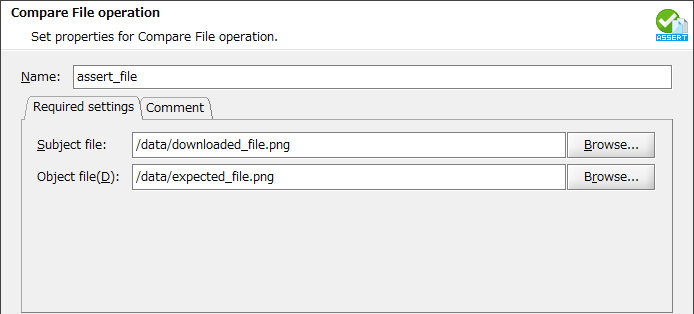
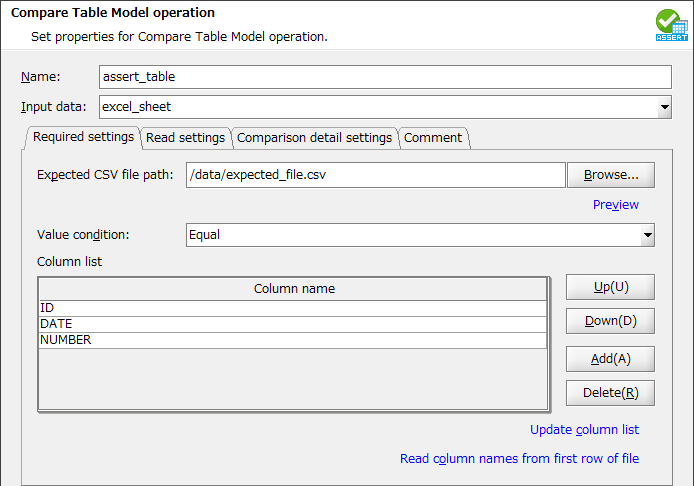
 As you can specify the result data of table model type component in the input data of Compare Table Model operation, writing to a temporary file is not needed for assertion.
| ID | Date | Number |
|---|---|---|
| ID001 | 2017-01-01 | 500 |
| ID053A | 2017-02-02 | 1200 |

ID001,2017-01-01,500
ID053A,2017-02-02,1200
ID,2017-01-01,500
ID,2017-02-02,1200
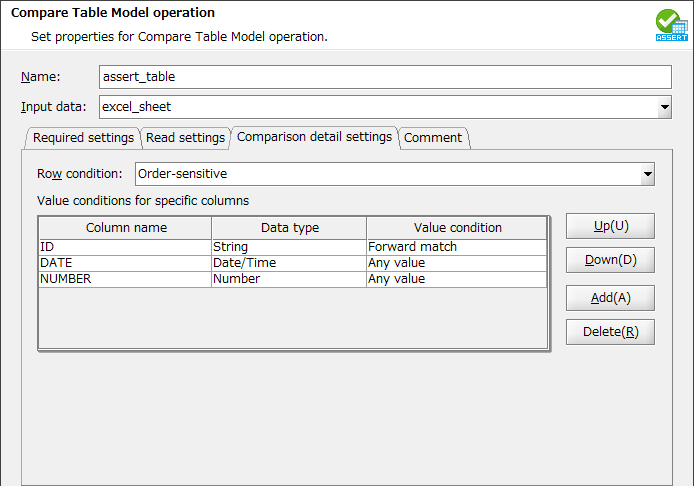 For more details on conditions, refer to “Compare Table Model”.
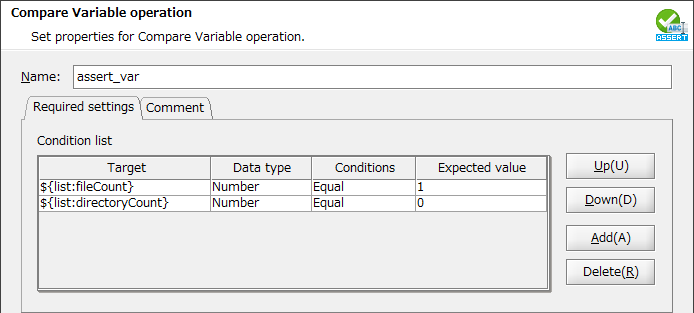
 Delete the files under the output directory beforehand to prevent from influence of other tests.