 For more details on DataSpider Studio, refer to here.For more details on DataSpider Studio, refer to here.
| Item name | Description | Remarks |
|---|---|---|
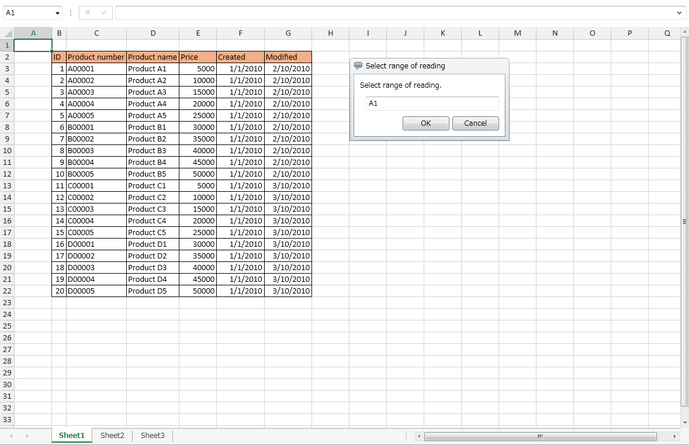
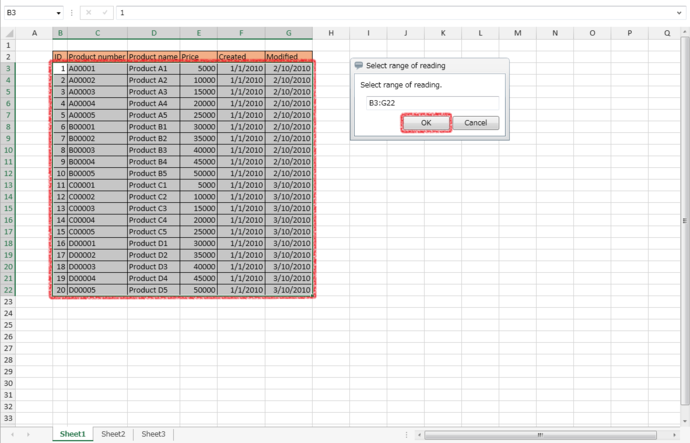
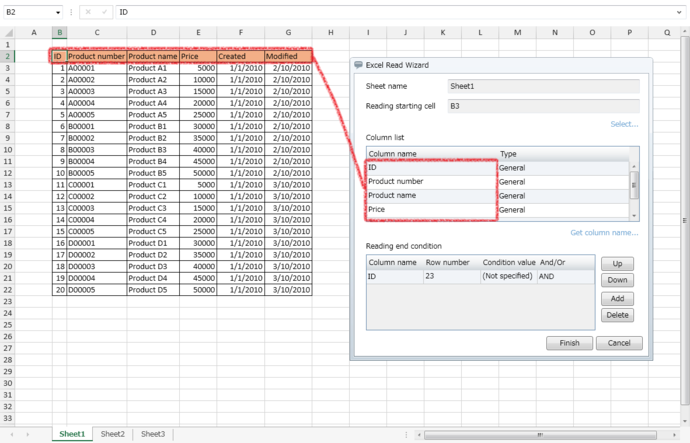
| Sheet name | The sheet name selected in Select range of reading is displayed. |
|
| Reading starting cell | The reading starting cell selected in Select range of reading is displayed. |
|
| Select | "Select range of reading" dialog will appear. | |
| Column list | The Column name / Type selected in Select range of reading are displayed.
Selected column name is displayed after Get column name. |
|
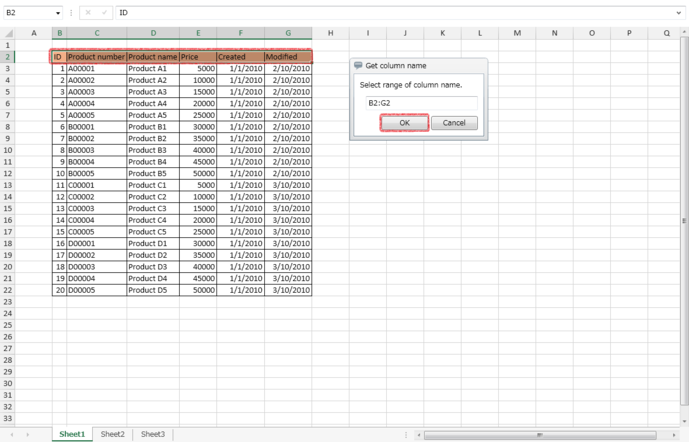
| Get column name | "Get column name" dialog will appear. |
|
| Reading end condition | The next row of the range selected in Select range of reading is set as the reading end condition.
Each column can be operated with the following buttons.
|
|
| Cancel | "Excel Read Wizard" settings screen is closed. | |
| Finish | "Excel Read Wizard" settings screen is closed, and the setting items of the wizard is reflected to the properties of Read from Sheet. |
 You can select up to 500 columns for reading range in Excel Read Wizard. When you want to specify a range exceeding 500 columns, set the [Column list] manually from the properties of Read from Sheet.
| Item name | Setting value |
|---|---|
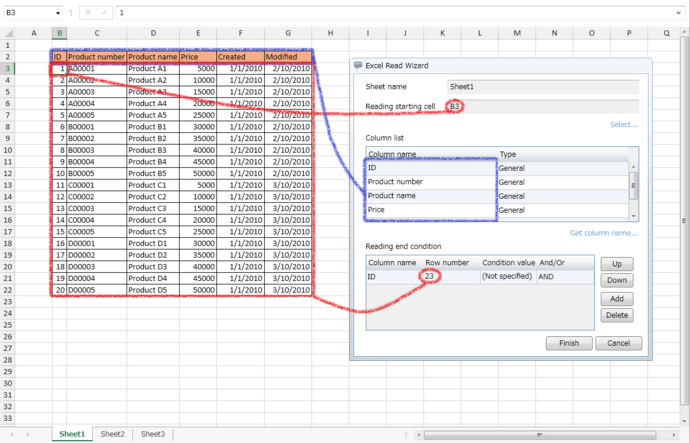
| Reading starting cell | Starting cell of the selected reading range |
| Column list/Column name | The value of the row before the selected reading range |
| Column list/Type | The value of cell format in the first row of the selected reading range |
| Reading end condition/Column name | The value of the column before the selected reading range |
| Reading end condition/Row number | The next row number of the selected reading range |
| Reading end condition/Condition value | [(Not specified)] |
| Reading end condition/And/Or | [AND] |
 You can specify one row of cells with the number of columns same as the range selected in "Select range of reading" dialog.
| Display format | Meaning | Displayed value | |
|---|---|---|---|
| Category | Type | ||
| Custom | g | Japanese Calendar (era name is expressed in initial alphabets) | (Nothing is displayed) |
| gg | Japanese Calendar (era name is expressed in abbreviated Japanese) | (Nothing is displayed) | |
| ggg | Japanese Calendar (era name is expressed in Japanese) | (Nothing is displayed) | |
| e | 1-9999(Year of Japanese calendar) | 1900-9999 (A.D.) | |
| ee | 01-9999(Year of Japanese calendar) | 1900-9999 (A.D.) | |
| aaa | Sun-Sat (Abbreviated day of week) | Sun-Sat (Abbreviated day of week) | |
| aaaa | Sunday-Saturday (Day of week) | Sunday-Saturday (Day of week) | |
| ddd | Sun-Sat (Abbreviated day of week) | Sun-Sat (Abbreviated day of week) | |
| dddd | Sunday-Saturday (Day of week) | Sunday-Saturday (Day of week) | |