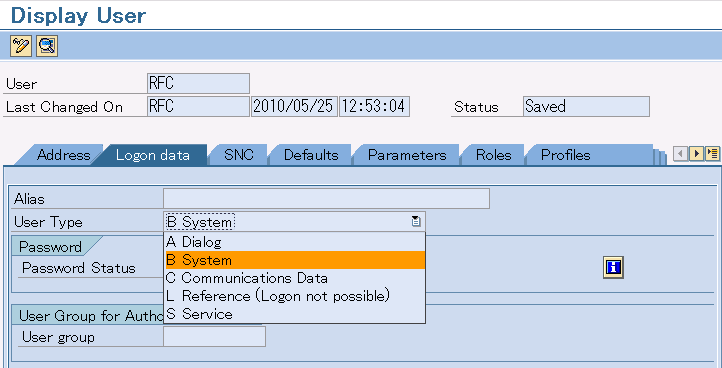
Registers RFC user for DataSpider Servista to the client to connect. If already registered, it is not necessary to register again.
In general, creates user with type of "Communications data" or "System".
| Item name | Value |
|---|---|
| R/3 server | DEVECC2 |
| System Number | 00 |
| Client Number | 300 |
 For more information about SAP BC settings, please refer to the manual of SAP BC.
| Item name | Description |
|---|---|
| hostname | The host name or IP Address of the OS on which SAP BC operates |
| port | The port number that SAP BC is started. |
| Item name | Value |
|---|---|
| Port number | 5555 |
| User name | Administrator |
| Password | manage |
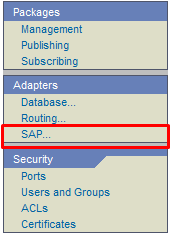
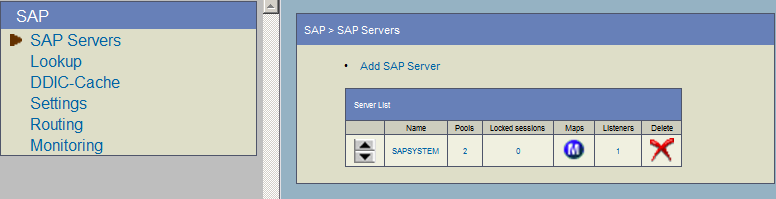
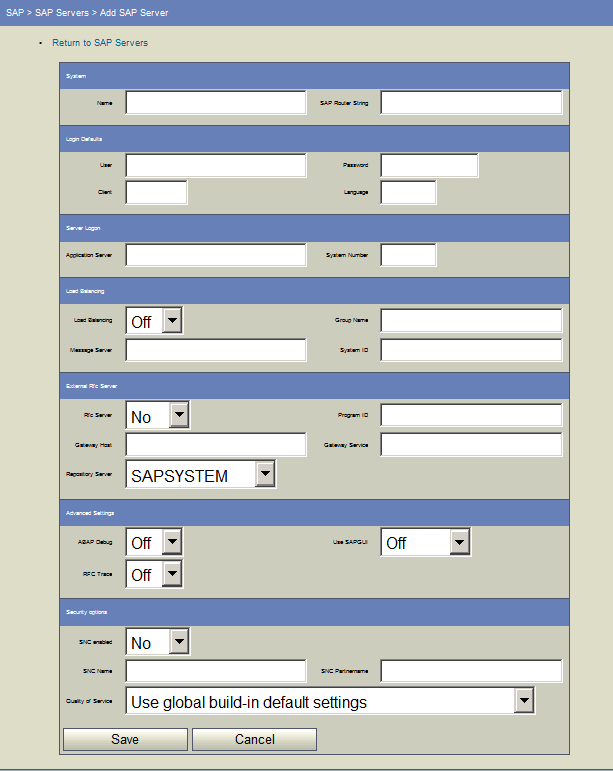
| Item name | Description |
|---|---|
| Name | Name on display |
| User | User name to log in to SAP system For tutorial, enter "RFC". |
| Password | Password of the user to log in to SAP system |
| Client | Client Number For tutorial, enter "300". |
| Application Server | The host name or IP address of the SAP system For tutorial, enter "DEVECC2". |
| System Number | System Number For tutorial, enter "00". |
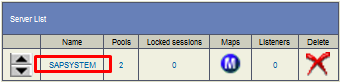

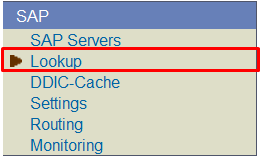
| Item name | Value |
|---|---|
| Business Object | Bank |
| BAPI | GetList |

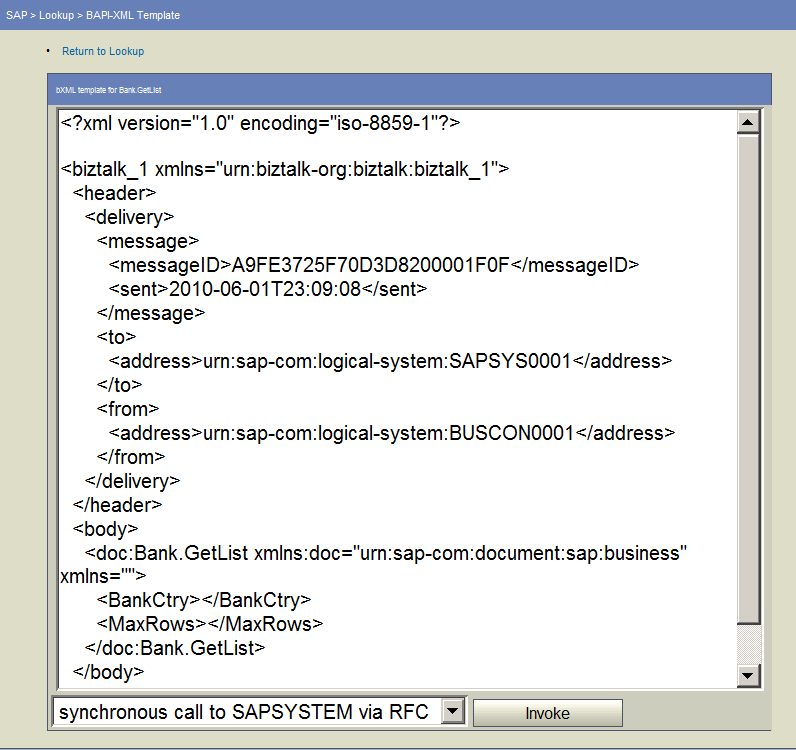 When getting XML template of RFC general module, enter the RFC general module name to execute to "Function Name" and press "RFC-XML" button.
Please contact SAP corporation about how to get XML template of IDoc.
When getting XML template of RFC general module, enter the RFC general module name to execute to "Function Name" and press "RFC-XML" button.
Please contact SAP corporation about how to get XML template of IDoc.
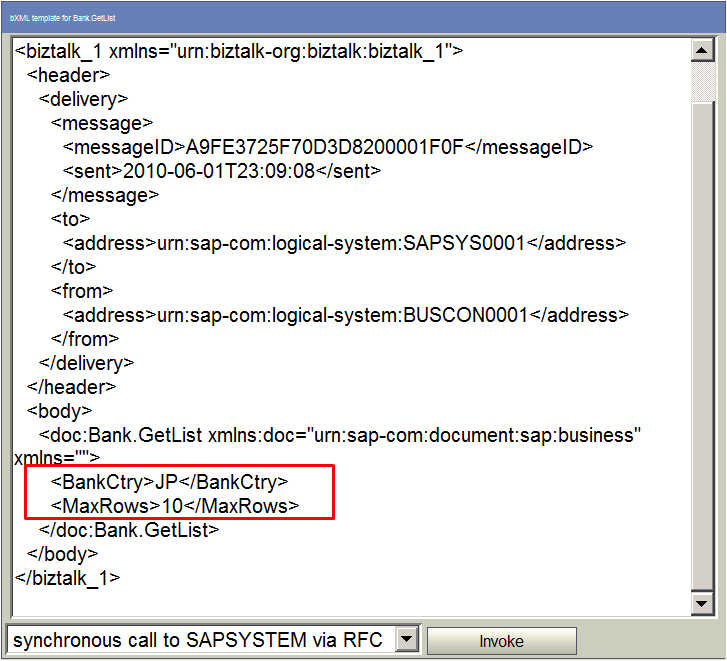
| Element name | Value |
|---|---|
| BankCtry | JP |
| MaxRows | 10 |
Test value changes depending on the used module or customization of SAP system. For more information, please contact the application consultant of SAP

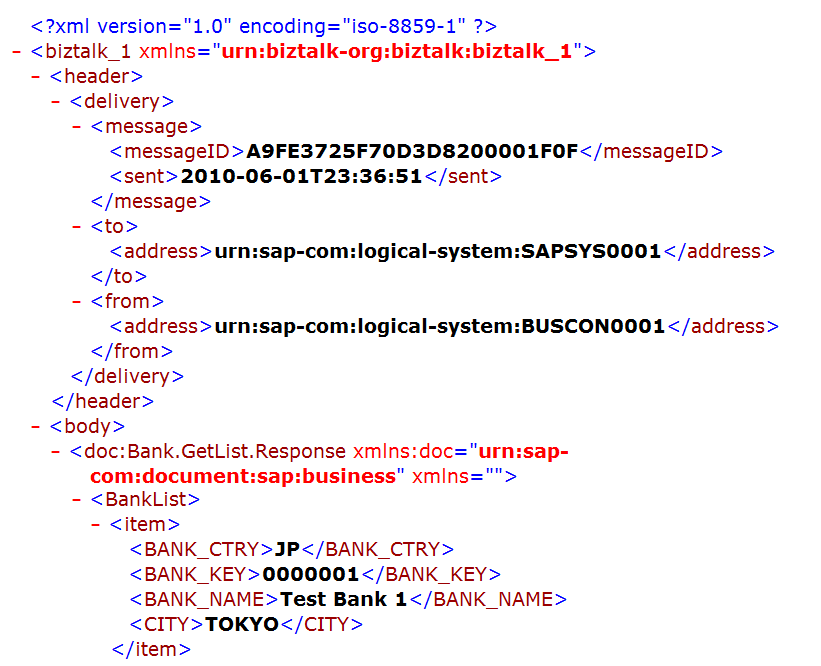
| Item name | Value |
|---|---|
| Pass | /data/sapbc/bapi_inbound/bank_getlist_input.xml |
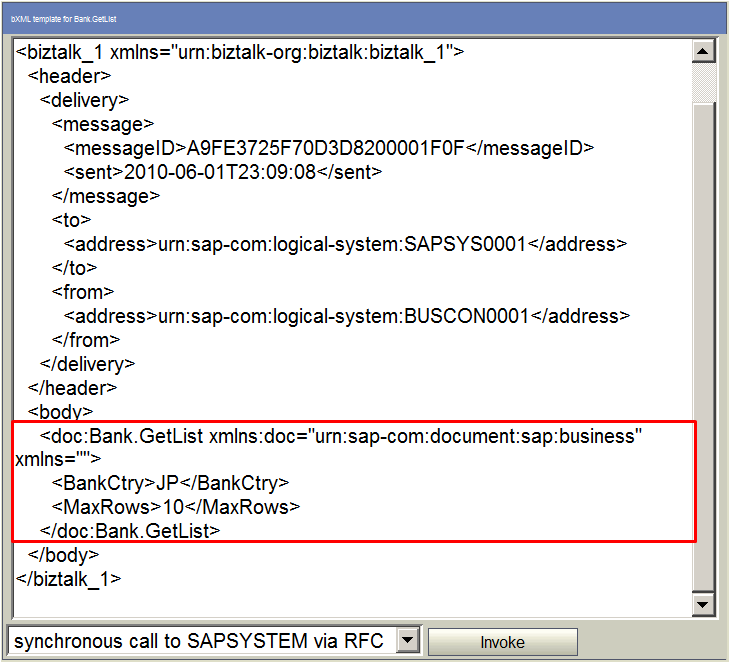 Use from <rfc> element to </rfc> element when creating input data for RFC general module.
Input data for IDoc is all IDoc type elements. When executing ALEREQ01, uses all ALEREQ01 elements including control record/data record.
Use from <rfc> element to </rfc> element when creating input data for RFC general module.
Input data for IDoc is all IDoc type elements. When executing ALEREQ01, uses all ALEREQ01 elements including control record/data record.
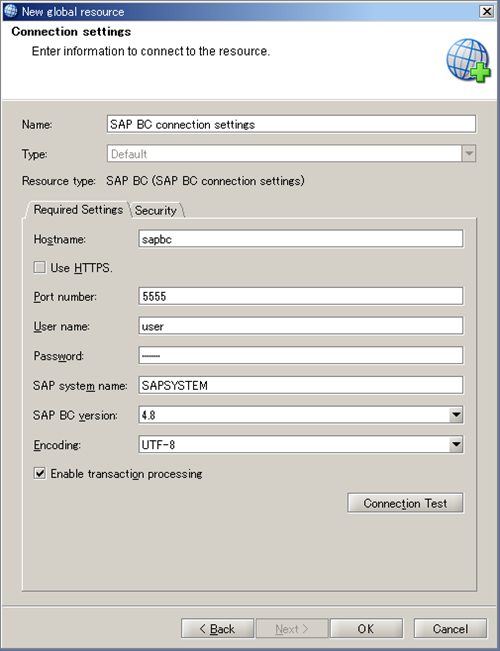
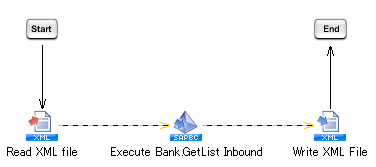 For more information about the settings, refer to "Global Resource Properties" .
| Item name | Value |
|---|---|
| Name | SAP BC 4.8 Connection Settings |
| Hostname | For tutorial, enter "sapbc". |
| Port number | For tutorial, enter "5555". |
| User name | For tutorial, enter "user". |
| Password | Enter the password of the user to connect to SAP BC system. |
| SAP system name | For tutorial, enter "SAPSYSTEM". |
| Item name | Value |
|---|---|
| Project Name | SAP BC Adapter Tutorial |
| Script Name | Inbound BAP |
| Element name | Value |
|---|---|
| BankCtry | JP |
| MaxRows | 3 |
<?xml version="1.0" encoding="Shift_JIS"?> <doc:bBank.GetList xmlns:doc="urn:sap-com:document:sap:business" xmlns=""> <BankCtry>JP</BankCtry> <MaxRows>3</MaxRows> </doc:Bank.GetList> |
Test value changes depending on the used module or customization of SAP system. For more information, please contact the application consultant of SAP.
| Category | Item name | Value |
|---|---|---|
| Basic settings | Name | Read XML file |
| Required settings | File | /data/sapbc/bapi_inbound/bank_getlist_input.xml |
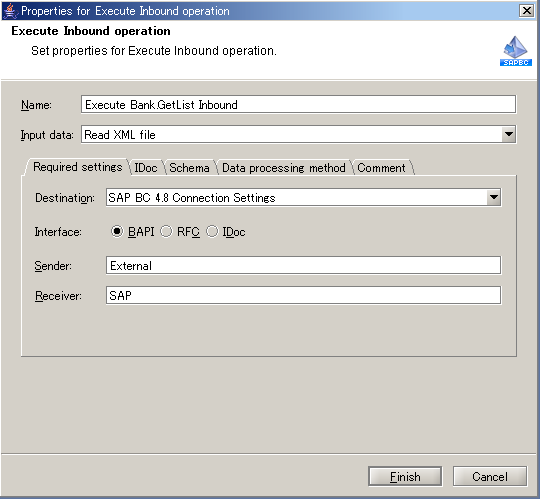
For more information on each property item, please refer to "Execute Inbound" .
| Category | Item name | Value |
|---|---|---|
| Basic settings | Name | Bank.Inbound run GetList |
| Input data | Read XML file | |
| Required settings | Destination | SAP BC 4.8 Connection Settings |
| Interface | BAPI | |
| Sender | For tutorial, enter "External". | |
| Receiver | For tutorial, enter "SAP". |
| Category | Item name | Value |
|---|---|---|
| Basic settings | Name | Write XML File |
| Input data | Bank.Inbound run GetList | |
| Required settings | File | /data/sap/bapi_inbound/bank_getlist_output.xml |
| Order | Name |
|---|---|
| 1 | Read XML file |
| 2 | Bank.Inbound run GetList |
| 3 | Write XML File |
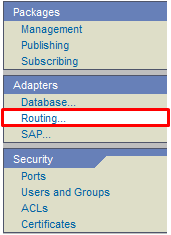

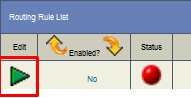
| Item name | Value |
|---|---|
| Transport | BAPI |
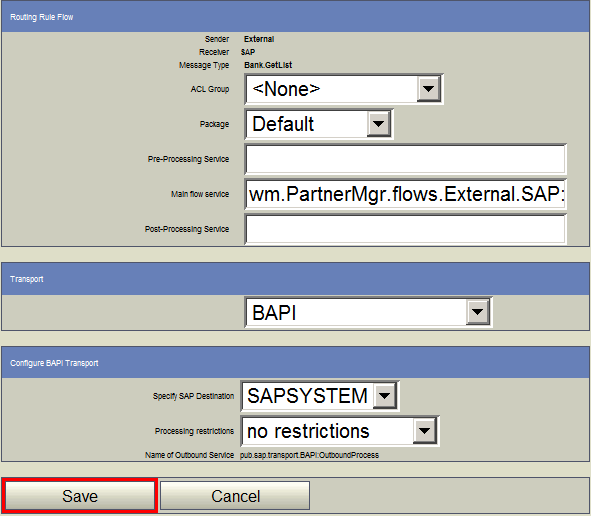 When executing RFC general module, set "RFC" to "Transport"
When executing IDoc, set "ALE (R/3 IDOC)" to "Transport".
When executing RFC general module, set "RFC" to "Transport"
When executing IDoc, set "ALE (R/3 IDOC)" to "Transport".


<?xml version="1.0" encoding="Shift_JIS"?>
<biztalk_1 xmlns="urn:biztalk-org:biztalk:biztalk_1">
  <header>
    <delivery>
      <message>
        <messageID>A9FE3725F70D8DB5000021F9</messageID>
        <sent>2010-06-02T22:30:42</sent>
      </message>
      <to>
        <address>urn:sap-com:logical-system:SAP</address>
      </to>
      <from>
        <address>urn:sap-com:logical-system:External</address>
      </from>
    </delivery>
  </header>
  <body>
    <doc:Bank.GetList.Response xmlns:doc="urn:sap-com:document:sap:business" xmlns="">
      <BankList>
        <item>
          <BANK_CTRY>JP</BANK_CTRY>
          <BANK_KEY>0000001</BANK_KEY>
          <BANK_NAME>Test Bank 1</BANK_NAME>
          <CITY>TOKYO</CITY>
        </item>
        <item>
          <BANK_CTRY>JP</BANK_CTRY>
          <BANK_KEY>0000002</BANK_KEY>
          <BANK_NAME>Test Bank 2</BANK_NAME>
          <CITY>TOKYO</CITY>
        </item>
        <item>
          <BANK_CTRY>JP</BANK_CTRY>
          <BANK_KEY>0000003</BANK_KEY>
          <BANK_NAME>Test Bank 3</BANK_NAME>
          <CITY>TOKYO</CITY>
        </item>
      </BankList>
      <Return>
        <TYPE/>
        <ID/>
        <NUMBER>000</NUMBER>
        <MESSAGE/>
        <LOG_NO/>
        <LOG_MSG_NO>000000</LOG_MSG_NO>
        <MESSAGE_V1/>
        <MESSAGE_V2/>
        <MESSAGE_V3/>
        <MESSAGE_V4/>
        <PARAMETER/>
        <ROW>0</ROW>
        <FIELD/>
        <SYSTEM/>
      </Return>
    </doc:Bank.GetList.Response>
  </body>
</biztalk_1>
|